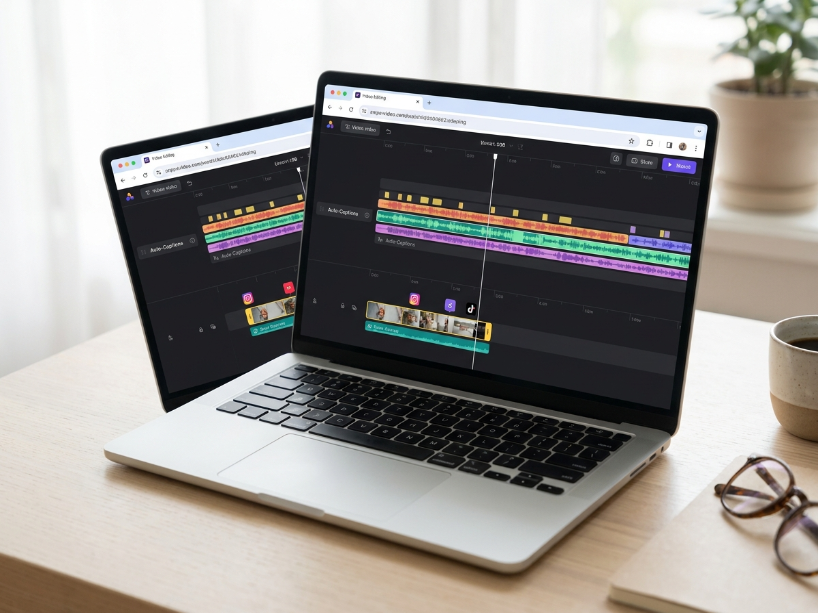
Best for: content creators, marketers, educators and small teams who need browser-based video editing with auto-subtitles, background removal, AI avatars, translation and collaboration, without installing desktop software.
Pricing: Free (watermark, 720p, limited AI). Creator $12/mo. Pro $24/mo. Studio $39/mo. Enterprise custom. All paid plans are per user per month.
Biggest strength: best-in-class auto-subtitle accuracy (98% claimed) with 100+ language translation, in a clean browser editor that works on any device. No software install.
Main weakness: AI features run on credits that expire annually. Subtitle minutes are capped per plan. Per-seat billing makes team costs escalate fast. Billing and cancellation complaints are consistent on Capterra (2026).
Bottom line: the Pro plan at $24/mo is the minimum for professional use and is strong value for solo creators. For teams, carefully calculate per-seat costs before subscribing.
VEED.io is a London-based browser video editing platform founded in 2018. As reported by G2’s May 2026 pricing data, VEED has grown from a simple subtitle tool into a full video production platform covering editing, AI subtitles, translation, background removal, AI avatars, text-to-speech, screen recording, live streaming and team collaboration, all from a browser with no software installation. As confirmed by AISO Tools’ 2026 review, over 4 million creators and businesses now use the platform.
The pricing structure has changed significantly since earlier versions of this article. As reported by Capterra’s April 2026 review data and CheckThat.ai’s 2026 pricing analysis, VEED replaced its old Lite, Pro and Business plan names with five tiers: Free, Creator, Pro, Studio and Enterprise, with new per-seat billing on all paid plans.
Table of Contents
How We Researched This Review
Pricing verification: all plan names and prices verified from multiple independent sources (Capterra April 2026, G2 May 2026, Flowith March 2026, CheckThat.ai 2026) and cross-referenced against the official VEED pricing page. Note: VEED pricing has changed multiple times. Some third-party aggregators still show outdated Lite/Pro/Business names. The current tiers are Creator, Pro, Studio and Enterprise.
AI credits: the credit-based AI system and annual expiry confirmed from CheckThat.ai’s 2026 analysis.
Billing complaints: the pattern of cancellation difficulties and billing disputes verified from Capterra’s April 2026 review data.
VEED io at a Glance
| Detail | Information |
|---|---|
| Founded | 2018, London, UK |
| Users | 4M+ creators and businesses |
| Platform type | Browser-based only. No download or installation required. Works on any device. |
| Free plan | Yes. Watermarked exports, 720p, 30 min/mo subtitles, 10-minute project length, limited AI. |
| Creator plan | $12/user/mo. Watermark-free, 1080p, 144 hours/yr subtitles, 50,000+ assets, basic brand kit. |
| Pro plan | $24/user/mo. 4K, all AI tools, translation (50+ languages), AI avatars (up to 4 hrs/yr), full brand kit, up to 5 editors. |
| Studio plan | $39/user/mo. Unlimited storage, higher credit allowances, team analytics, all AI models. Best for teams of 3+. |
| AI features | Run on annual credit allowances. Credits expire at year-end and do not roll over. |
| Subtitle accuracy | 98% accuracy claimed (independent tests show good accuracy on clear speech; accents can reduce this) |
| Languages | 100+ languages for subtitles. 50+ languages for video translation (Pro and above). |
| Stock assets | 50,000+ royalty-free videos, images and audio (Creator and above) |
| Export formats | MP4, AVI, MKV, WMV, MOV, GIF. 720p free, 1080p Creator, 4K Pro and above. |
| Affiliate programme | Yes, route via ThirstyAffiliates |
Key Features
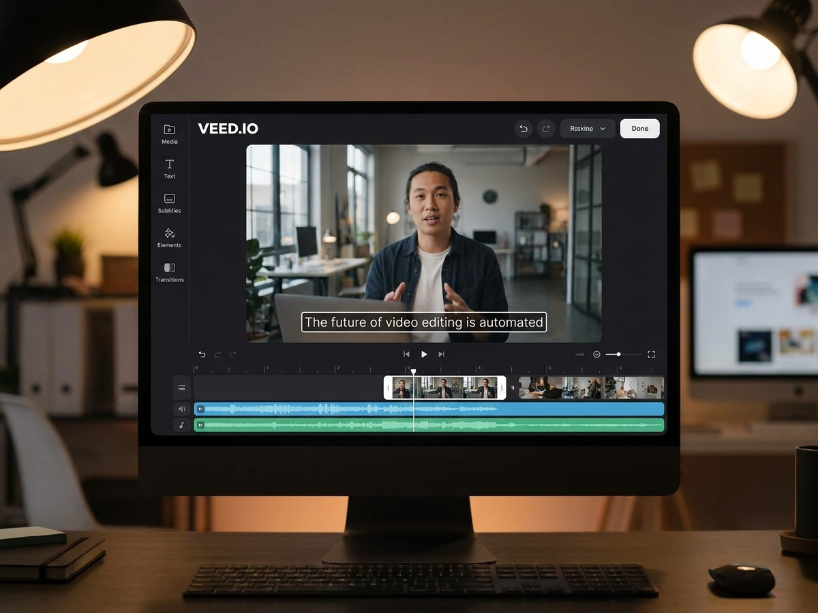
Auto-subtitles and transcription are VEED’s strongest feature and the primary reason most users choose it over competing browser editors. As reported by G2’s May 2026 data, 98% accuracy is claimed on the official VEED site for clear English speech. Subtitles can be styled, repositioned, color-coded and exported as SRT, VTT or burned into the video. This is the feature most frequently praised in user reviews across G2, Capterra and GetApp.
Translation (Pro and above) lets you translate subtitle text into 50+ languages directly inside the editor. This is useful for creators repurposing content for international audiences without hiring human translators for every video. Note: machine translation quality varies by language pair and source clarity.
Background removal is a one-click tool available on paid plans that removes the video background and replaces it with a solid color, image or custom virtual background. Useful for webcam footage and talking-head videos where the shooting location is not ideal.
AI avatars (Pro and above, up to 4 hours/year) generate talking-head avatar videos from text scripts without recording yourself on camera. As noted by CheckThat.ai’s 2026 analysis, this feature uses credits from the annual AI allowance, so heavy use can exhaust your quota faster than expected.
Clean audio (paid plans) removes background noise and enhances voice clarity from recorded audio in one click. As confirmed by Capterra’s June 2026 reviews, this is one of the most-used and most-praised AI tools on the platform.
Screen recorder is built into the platform (no extension needed) and captures screen, webcam or both simultaneously, recording directly into the VEED editor for instant post-production. Sessions up to 1 hour are supported.
Video templates cover intros, outros, social media posts, ads, presentations and more. Each template is fully editable within the VEED editor.
Social media resize (Auto-resize) reformats a video into multiple aspect ratios (16:9, 9:16, 1:1, 4:5) for different platforms in one click. Available on Creator and above.
Brand Kit stores brand colors, fonts, logos and watermarks for consistent application across projects. Basic kit on Creator, full kit with images, video and audio on Pro and above.
Collaboration allows team members to edit, review and comment on shared video projects. Up to 5 editors on Pro, with expanded team tools on Studio and Enterprise.
Veed Io Pricing and the AI Credits System
VEED’s pricing has two layers that are important to understand before subscribing: the plan tier, and the AI credit system.
| Plan | Price | Auto-subtitles | Export quality | Key extras |
|---|---|---|---|---|
| Free | $0 | 30 min/mo | 720p (watermarked) | Basic editing, 10-min project limit, limited AI, 1GB storage |
| Creator | $12/user/mo | 144 hrs/yr | 1080p, no watermark | 50,000+ stock assets, auto-resize, basic brand kit, 25GB storage |
| Pro | $24/user/mo | Unlimited | 4K Ultra HD | All AI tools, translation 50+ languages, AI avatars (4 hrs/yr), text-to-speech (144 hrs/yr), full brand kit, up to 5 editors, 100GB storage |
| Studio | $39/user/mo | Unlimited | 4K Ultra HD | Everything in Pro, unlimited storage, higher AI credit allowances, all AI models, team analytics, priority support |
| Enterprise | Custom | Unlimited | 4K Ultra HD | Custom users, SSO, SLA, dedicated support, advanced security, custom integrations |
VEED io Pros and Cons
| Pros | Cons |
|---|---|
| Best-in-class auto-subtitle accuracy in a browser editor, with styling, translation and SRT export | AI credits expire annually and do not roll over. Heavy AI use can exhaust a year’s allowance in weeks. |
| 100% browser-based. No download, no hardware requirements. Works on Mac, Windows, Linux and mobile. | Per-seat billing makes team costs escalate fast. Three users on Pro = $72/mo, not $24. |
| Clean audio background noise removal in one click. Frequently praised in user reviews as a time-saver. | Consistent billing and cancellation complaints on Capterra and Trustpilot (2026). |
| Translation into 50+ languages on Pro — useful for international content repurposing without separate tools. | Advanced AI features (avatars, dubbing, text-to-video) are locked behind Pro and consume credits fast. |
| Screen recorder and live streaming built in, no browser extension needed | Not suitable for advanced professional post-production requiring timeline precision, color grading or motion graphics |
| Brand Kit and team collaboration on Pro and above. Good for small content teams and agencies. | Performance can lag or drop quality with large files or long projects on the browser editor |
VEED.io vs the Alternatives
| VEED.io | CapCut | Canva | Descript | |
|---|---|---|---|---|
| Starting paid price | $12/user/mo | Free / from ~$9.99/mo | $15/mo | From ~$12/mo |
| Auto-subtitles | Yes (98% claimed) | Yes | Limited | Yes (transcript-based) |
| AI avatars | Yes (Pro+) | Yes | No | No |
| Translation | 50+ languages (Pro+) | Yes | Limited | Yes |
| Best for | Auto-captions, team collab | Short-form, social video | All-round design and video | Podcast and long-form video |
For a fuller breakdown see our Canva review, best AI video tools guide and make money with AI tools guide.
Who Should Use VEED.io?
As reported by G2’s May 2026 data, VEED is primarily used by small businesses under 50 employees in marketing and advertising, education and entertainment. The platform fits three use cases particularly well.
First, solo creators who publish video content regularly and need fast, accurate auto-captions without a dedicated subtitle editor. The Creator plan at $12 a month removes the watermark and gives 144 hours of subtitles per year, which is enough for one to two videos a week.
Second, small marketing teams of two to five people who need brand kits, team collaboration and translation for repurposing content across languages and platforms. The Pro plan at $24 per user per month covers this well, provided the team calculates the per-seat total before subscribing.
Third, educators, HR teams and corporate trainers creating instructional video content who need subtitles, translations and clean audio across multiple videos per month.
VEED is not the right choice for professional post-production requiring precise color grading, advanced motion graphics or complex timeline editing. For those needs, DaVinci Resolve or Adobe Premiere Pro are the appropriate tools.
Frequently Asked Questions
Is VEED.io free? VEED has a free plan with basic editing, 30 minutes of auto-subtitles per month, 720p exports and a watermark. The free plan is functional for testing but the watermark makes it unsuitable for public or professional output. The Creator plan at $12 a month removes the watermark and gives 1080p exports and 144 hours of subtitles per year.
How much does VEED.io cost in 2026? The Creator plan is $12 per user per month. The Pro plan is $24 per user per month. The Studio plan is $39 per user per month. All plans are per-seat. A three-person team on Pro costs $72 a month. Verify current pricing at veed.io/pricing.
Are VEED’s auto-subtitles accurate? VEED claims 98% accuracy on auto-subtitles. As confirmed by G2’s May 2026 data and multiple independent reviews, the accuracy is strong for clear English speech. Accents, background noise and technical terminology can reduce accuracy. The subtitles are editable within the editor before export.
What happened to the old VEED plans? As confirmed by multiple independent 2026 pricing reviews, VEED replaced the old Lite, Pro and Business plan names with five new tiers: Free, Creator, Pro, Studio and Enterprise. The pricing has changed substantially. The old Pro at $30/mo is now roughly equivalent to the new Studio plan at $39/mo per user.
Do VEED’s AI credits expire? Yes. As confirmed by CheckThat.ai’s 2026 analysis citing VEED’s official help documentation, annual AI credits reset at the end of each subscription year. Unused credits do not roll over. If you subscribe in January and use only half your credits by December, the remainder are lost when your subscription renews.
Can I cancel VEED anytime? VEED allows cancellation at any time through the account settings page. As a precaution given billing complaints reported on Capterra (April 2026), confirm cancellation by email to hello@veed.io and keep the confirmation for your records. Your access continues until the end of the current billing period.
VEED.io Alternatives Worth Considering
Reviewed by our team. Read the full review or head straight to the tool.
Canva
All-round design and video tool with AI features, templates and a strong free tier. Better for general content creation.
CapCut
Free browser and desktop video editor with auto-captions, AI tools and templates. Strong free tier for short-form content.
Movavi
Desktop and browser video editor with more timeline control than VEED. Better for users who need precise editing.
InVideo AI
AI-first video generator that creates complete videos from scripts. Better than VEED if you need AI to generate footage.
Free plan available. Creator from $12/user/mo. Pro from $24/user/mo. No software install.
Visit VEED.io →
Related: Best AI Video Tools | Canva Review | Movavi Review | Make Money With AI Tools | Best AI Tools for Creators
Sources used in this article: VEED Official Pricing Page (veed.io/pricing) Capterra: VEED Reviews and Pricing, April 2026 (capterra.com) G2: VEED Pricing 2026, May 2026 (g2.com) CheckThat.ai: VEED Pricing 2026, AI Credit Breakdown (checkthat.ai) Flowith: VEED.io Pricing 2026, Free vs Basic vs Pro, March 2026 (flowith.io) Salesforge: VEED.io Overview 2026 (salesforge.ai)