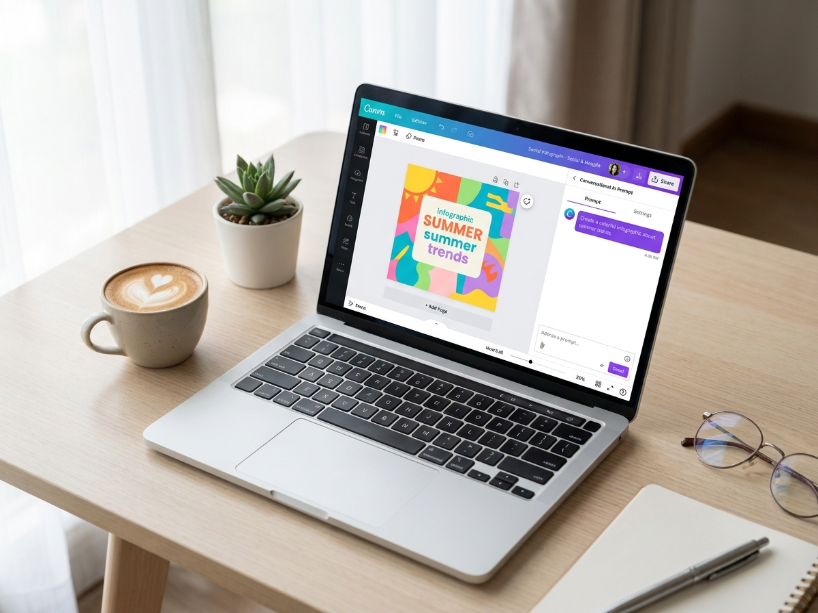
Canva launched in Australia in 2013 with one goal, letting anyone design without design skills, and in 2026 it serves more than 230 million people every month with over 16 billion designs created on the platform. According to Canva’s newsroom, the platform’s biggest change since 2013 arrived in April 2026 with Canva AI 2.0, a conversational design system that turns a single prompt into a fully editable design. As reported by independent testing at AI Tool Analysis, the bundle of Canva Pro plus the now free Affinity suite at $15 a month is the best price per capability deal in consumer design software right now.
This review covers what actually shipped in 2026, honestly updated pricing including the Pro price rise and the move to per seat Business billing, the AI features worth using, the free Affinity story that reshaped the market, and a clear verdict on whether Canva Pro is worth paying for. Everything here is verified against Canva’s official pricing page and its Canva Create 2026 announcements, then cross checked with hands on independent reviews.
Best for: non designers, marketers, small businesses, social creators, and Etsy or print on demand sellers.
Price: the Free plan is genuinely usable. Canva Pro is $15/mo or $120/yr. Canva Business (formerly Teams) is per seat at about $20 to $25 per user a month.
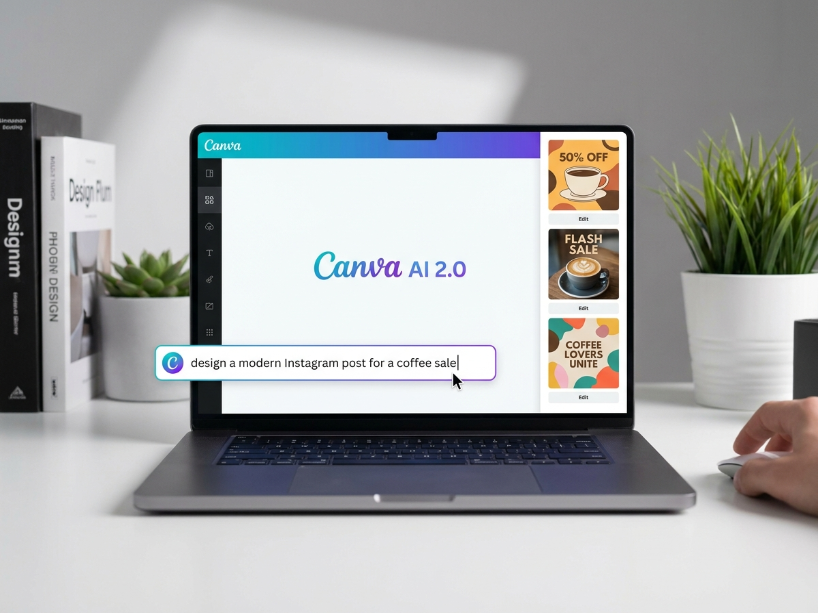
Biggest 2026 upgrade: Canva AI 2.0 turns a text or voice prompt into a fully editable, layered design in seconds, not a flat image.
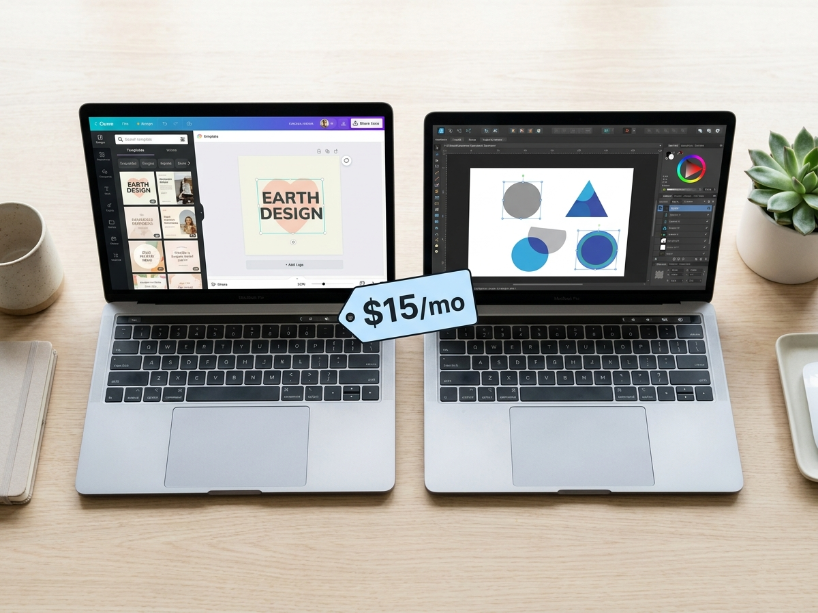
Best value: Canva Pro plus the now free Affinity suite plus Magic Studio at $15/mo undercuts Adobe Creative Cloud at roughly $60/mo.
Skip it if: you need colour managed prepress or advanced professional motion graphics, then you still need the full Adobe stack.
Bottom line: for most creators, Canva Pro is a straightforward yes.
Table of Contents
What Is Canva in 2026?
Canva is a browser based design platform that lets you make social posts, presentations, videos, print products and more from templates, with no design experience needed. In 2026 it is no longer just drag and drop templates. It has become what Canva itself calls a creative operating system, driven by the Magic Studio AI suite and the new Canva AI 2.0, and its acquisition of Affinity has turned a $15 subscription into a genuine Adobe alternative for most people.
| Detail | Information |
|---|---|
| Founded | 2013, Australia (Melanie Perkins, Cliff Obrecht, Cameron Adams) |
| Users | 230M+ monthly active, 16B+ designs created |
| Free tier | Yes, 250,000+ templates, 1M+ free photos and graphics, 5GB storage, limited AI (about 50 uses a month) |
| Pricing | Free | Pro $15/mo ($120/yr) | Business about $20 to $25/user/mo | Enterprise custom |
| Flagship 2026 feature | Canva AI 2.0, conversational design on the Canva Design Model |
| AI suite (Magic Studio) | Magic Design, Dream Lab, Magic Write, Magic Layers, Magic Edit and Eraser, Bulk Create, Canva Sheets, Magic Charts, Video 2.0, Canva Code 2.0 |
| Bundled bonus | Affinity v3 (Photo, Designer, Publisher) now free, Leonardo.AI and Flourish on Business |
| Best for | Non designers, marketers, small businesses, social creators, Etsy and print sellers |
| Affiliate programme | Yes (Impact / Partnerize), route via ThirstyAffiliates |
Canva Pricing: All Plans Explained
As reported by pricing trackers including Costbench and SocialRails, Canva Pro rose from $12.99 to $15 a month in 2025, and Canva renamed its Teams plan to Business and moved it to per seat billing. Regional pricing applies, so your local price may be lower, and Canva is often cheaper in markets such as Pakistan and India.
| Plan | Price | Best for | Key features |
|---|---|---|---|
| Free | $0 | Individuals, students, casual use | 250k+ templates, 5GB storage, ~50 AI uses/mo, 5 Dream Lab images/mo |
| Pro | $15/mo or $120/yr | Freelancers, creators, solo sellers | 1TB storage, full Magic Studio, Brand Kit, Background Remover, 500 Dream Lab images/mo, AI inside Affinity |
| Business | ~$20 to $25/user/mo | Teams, agencies, small businesses | Everything in Pro, 2x AI allowance, brand controls, approval workflows, 100 brand kits, Leonardo.AI + Flourish |
| Enterprise | Custom | Large organisations | SSO, admin controls, advanced security, dedicated support |
Two things are worth knowing before you buy. First, Business is now billed per seat, so the cost scales with team size, and the 2024 to 2025 repricing drew real backlash from long time users. Second, heavy AI users can add an AI Pass for $100 per person a month for a much larger AI allowance. Canva Pro includes a 30 day free trial, and Canva for Education and Nonprofits remain free for those who qualify.
Canva AI 2.0 and Magic Studio: The Big 2026 Story
According to Canva’s newsroom, Canva AI 2.0 launched at Canva Create 2026 in Los Angeles and runs on the Canva Design Model, which Canva describes as the first foundation model built specifically to understand real world design. You describe what you want in text or voice, and Canva builds a fully editable, layered design in seconds rather than a flat image. It has persistent memory that improves with use, plus agentic workflows for connectors, scheduling, web research, brand intelligence and the new Canva Code 2.0.
Everything AI in Canva sits under the Magic Studio umbrella. The tools worth actually using in 2026:
- Magic Design turns a text description into a complete, editable layout in seconds.
- Dream Lab is the text to image tool. It runs on the Leonardo.AI Phoenix model and now also integrates OpenAI’s GPT Image 2, with a Style Transfer option to match a reference image.
- Magic Write is in canvas AI copywriting for captions, headlines and body text.
- Magic Layers turns any flat AI image, screenshot or PDF into a fully editable layered design. As reported by Canva’s release notes, it was used more than 9 million times in its first month.
- Magic Edit, Eraser, Grab and Expand cover most everyday photo editing with natural language.
- Bulk Create with Canva Sheets and Magic Charts turns a spreadsheet into hundreds of design variants, or raw data into clean charts.
As reported by hands on testing at AI Tool Analysis, Dream Lab rates above DALL-E 3 for creative output but behind Midjourney v7, with the usual weak spots of facial distortion on close up portraits, hands and small text. If top image quality matters, pair Canva with a dedicated generator. See our best AI image generators guide and our Midjourney review.
One thing to watch, according to eesel AI: every plan caps a shared monthly AI allowance across Standard, Premium and Ultra tools, and failed generations count against it. A real time credit tracker was added in March 2026 so you can monitor usage.
Affinity Is Now Free, and That Changes the Math
Canva acquired Affinity (Photo, Designer and Publisher, the Photoshop, Illustrator and InDesign alternative) in 2024. As reported by Canva’s release notes, the full Affinity v3 suite became free for everyone in 2026. The core editing software costs nothing, and the AI features inside Affinity, such as generative fill, background removal and text aware editing, are unlocked with Canva Pro.
This is the most consequential shift in the design tool market in over a decade. Canva Pro plus free Affinity plus Magic Studio at $15 a month goes directly against Adobe Creative Cloud at roughly $60 a month. For anyone who does not need professional colour managed prepress or broadcast video editing, that comparison is hard to ignore.
Canva Pros and Cons
| Pros | Cons |
|---|---|
| Easiest design tool for non designers, huge template and asset library | AI allowance is capped and failed generations count against it |
| Canva AI 2.0 conversational design is genuinely fast and gives editable output | The $100/mo AI Pass gets expensive for heavy AI users |
| The now free Affinity suite is a landmark value add | Business per seat pricing scales fast and drew backlash after repricing |
| Strong across social, print, video and presentations | Dream Lab image quality still trails Midjourney |
| Real time collaboration, usable free tier, regional pricing helps buyers outside the US | Not built for colour managed prepress or complex pro motion graphics |
Canva vs the Best Alternatives
| Canva | Adobe Express | Pixlr | Placeit | |
|---|---|---|---|---|
| Starting paid price | $15/mo | ~$9.99/mo | ~$1.99 to 7.99/mo | ~$14.95/mo |
| Free plan | Yes | Yes | Yes | Limited |
| AI image generation | Dream Lab | Firefly | Built in AI | Template based |
| Best for | All round design | Safe commercial use | Browser photo editing | Mockups and logos |
For a fuller breakdown, see our best Canva alternatives and best AI design tools guides.
Is Canva Worth It in 2026?
The free plan is genuinely useful for casual and occasional design. Canva Pro at $15 a month pays for itself quickly for anyone creating content regularly, the background remover alone saves hours, the brand kit removes repetitive setup, you get 500 Dream Lab images a month, and the free Affinity suite is bundled on top. Canva Business only makes sense when you need team collaboration, brand controls and approval workflows.
If you sell on Etsy, run print on demand, or publish social content, Pro is the sweet spot. Our guide on how to make money with AI tools shows where Canva fits into a creative income workflow.
Frequently Asked Questions
Is Canva free in 2026? Yes. Canva has a permanent free plan with 250,000+ templates, over a million photos and graphics, 5GB of storage and limited AI, about 50 uses a month. Pro unlocks the full Magic Studio, brand kit, background remover, 1TB storage and 500 Dream Lab images a month.
How much is Canva Pro in 2026? Canva Pro is $15 a month or $120 a year, up from $12.99 in 2025, and it includes a 30 day free trial. Canva Business, formerly Teams, is billed per seat at roughly $20 to $25 per user a month. Regional pricing applies, so your local price may be lower.
Is Canva AI 2.0 free? The free plan includes limited AI, about 50 uses a month and 5 Dream Lab images. The full Canva AI 2.0 and Magic Studio suite needs Canva Pro, and very heavy AI users can add an AI Pass for $100 a month for a much larger allowance.
Is Affinity really free now? Yes. As reported by Canva’s release notes, the full Affinity v3 suite, Photo, Designer and Publisher, became free for everyone in 2026. The core editing tools cost nothing, and the AI features inside Affinity are unlocked with Canva Pro.
Is Canva better than Adobe? For non designers and for speed, yes, and it is far cheaper, especially now that Affinity is free with a $15 Pro plan. For colour managed prepress or advanced professional work, Adobe’s full stack still wins. See our best Canva alternatives guide for the full comparison.
Can I use Canva designs commercially? Yes, on all plans, subject to Canva’s content license. Premium stock elements used on the Free plan are paid per element, so check the license on anything marked premium before you publish.
Top Canva Alternatives
Reviewed by our team. Read the full review, or head straight to the tool.
Adobe Express
Adobe’s free Canva rival with Firefly AI and commercially safe images.
Pixlr
Fast browser based photo editor and design tool with built in AI features.
Placeit
Template driven mockups, logos and social graphics, no design skills needed.
PicMonkey
Browser photo editor and design suite for quick edits and social content.
30 day free trial, cancel anytime. Check current pricing for your region.
Visit Canva →
Related guides: Best Canva Alternatives | Best AI Design Tools | Best AI Image Generators | Make Money With AI Tools
Sources used in this article: Canva Newsroom: Introducing Canva AI 2.0, Canva Create 2026 (April 2026) AI Tool Analysis: Canva Magic Studio Review (April 2026) eesel AI: Canva AI Pricing, Credits and Is Pro Worth It (2026) Costbench: Canva Pricing and Plan Breakdown (2026) SocialRails: Canva Pricing, Free vs Pro vs Teams (2026) Releasebot: Canva Release Notes, Affinity Free and Canva Create 2026 (2026)