
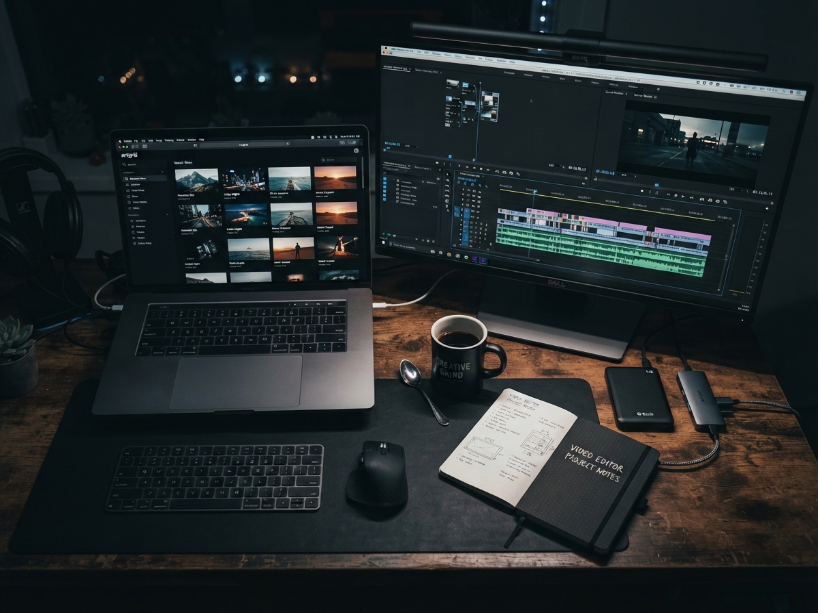
The stock video market looks very different in 2026 than it did three years ago. Subscription models have become the norm, 4K is standard at every price point, and AI-generated footage now sits alongside human-shot clips on platforms like Shutterstock and Adobe Stock. At the same time, the gap between “free but limited” and “paid but unlimited” has narrowed considerably.
The right platform depends less on budget alone and more on how you use footage: how many clips per month, whether you need cinematic quality or social-ready B-roll, and whether your licensing needs are simple (YouTube and social) or complex (broadcast, film, commercial campaigns).
This guide covers eight platforms. three free, five paid. with July 2026 pricing verified against official sources and independent reviews.
Table of Contents
Start Here: Which Type of Creator Are You?
You need 5 to 20 clips per month for Reels, Shorts, TikToks and YouTube. Speed and variety matter more than cinematic quality.
Start with: Pexels (free) or Storyblocks ($15/mo)
You need cinematic 4K/8K footage with clean licensing for client deliverables, branded content and short films.
Start with: Artgrid or Artlist Max ($33/mo)
You need reliable footage for ads, landing pages and campaigns with strong indemnification for commercial use.
Start with: Pond5 (per-clip) or Shutterstock ($49/mo)
The Pricing Model Decision: Subscription vs Per-Clip
Before comparing platforms, one decision matters most: do you need a subscription or pay-per-clip?
- You download 5 or more clips per month consistently
- You produce regular social media, YouTube or training content
- You want unlimited access without per-clip anxiety
- Budget predictability matters more than clip-by-clip choice
Best picks: Storyblocks ($15/mo), Artlist Max ($33/mo)
- You need 1 to 4 premium clips per project, not monthly volume
- You work on one-off campaign or documentary productions
- You need maximum legal indemnification for broadcast or film
- The specific clip matters more than the quantity available
Best pick: Pond5 (standard $59, premium $149 per clip)
Free Stock Video Sites
1. Pexels. Best Free Stock Video Overall
As confirmed by PhotoWorkout’s July 2026 review, Pexels is the strongest free stock video platform in 2026. Every clip in the library is available for personal and commercial use with no attribution required and no account needed to download.
What sets it apart from other free sites: Pexels curates specifically for quality and includes a growing vertical video library of 9:16 clips for Reels, TikTok and Shorts. making it genuinely useful for social media managers, not just as a last resort.
Library: 3 million+ free photos and video clips. Video library includes HD 1080p and 4K content.
License: Pexels License. free for personal and commercial use. No attribution required. Modification permitted.
Limitation: the library is smaller than paid platforms. Niche and highly specific searches return fewer results than Storyblocks or Pond5.
Visit site: pexels.com
2. Mixkit. Free Templates + Video (with One Important Warning)
Mixkit, owned by Envato, is often listed as a free stock video platform. As confirmed by Wrapbook’s 2026 analysis, this requires a critical clarification before downloading:
What Mixkit does well: the template library is genuinely useful. Mixkit provides free video templates for Premiere Pro, After Effects, Final Cut Pro and DaVinci Resolve. a practical free resource for editors who need motion graphics and opener templates, not just raw footage.
Library: thousands of HD and 4K video clips plus editing templates.
Cost: free with an account.
Visit site: mixkit.co
3. Videezy. Free Footage with Attribution
As confirmed by PhotoWorkout’s July 2026 review, Videezy holds a large free footage library but operates on a different model from Pexels. Most free clips on Videezy require attribution to the original creator. Premium commercial-license content is available without attribution through paid credits.
Best use: backgrounds, abstract loops, nature B-roll for personal or educational projects where attribution is acceptable.
Library: large free collection plus premium content.
Cost: free (with attribution). Premium credits available for commercial-license downloads.
Read our full review: Videezy review Visit site: videezy.com
Paid Stock Video Sites
4. Storyblocks. Best Value for Volume Creators
Best for: YouTubers, social media managers and marketing teams who need unlimited access to a broad library at the lowest monthly cost in the paid subscription category.
As confirmed by PhotoWorkout’s July 2026 review, Storyblocks pioneered the unlimited stock subscription model and remains the strongest value proposition for high-volume video creators. The Essentials plan at approximately $15/month annual includes unlimited 4K video downloads. meaning creators who download 5 or more clips per month recoup the subscription cost faster than any per-clip platform.
Pricing (verified July 2026): Essentials (video only): approximately $15/month billed annually. All Access (video + audio + images + templates): approximately $30/month annual. As confirmed by CheckThat.ai’s March 2026 pricing analysis, the Unlimited All Access plan at $360/year delivers potential savings of $828 to $1,188 annually compared to per-clip pricing on Shutterstock or Adobe Stock for equivalent volume.
Key features confirmed by Storyblocks’ own February 2026 resource: unlimited downloads with no monthly cap, Adobe After Effects and Premiere Pro plugin on higher plans, YouTube content ID claims support, AI Toolkit with video editing and voiceover tools, and Re:Stock initiative for authentic diverse representation footage.
Honest limitation: as confirmed by CheckThat.ai’s March 2026 analysis, Storyblocks’ music library quality is inconsistent compared to Artlist or Epidemic Sound. The Individual plan explicitly excludes agencies and production companies. these users are pushed toward Business pricing, which CheckThat.ai reports ranges from $6,000 to $13,000+ annually at the enterprise tier.
Read our full review: Storyblocks review Visit site: storyblocks.com
5. Artlist. Best All-in-One Subscription
Best for: content creators and agencies who need music, sound effects, footage and templates from a single subscription with the simplest licensing model in the category.
As confirmed by Toolsurf’s July 2026 pricing analysis, Artlist’s licensing model is its clearest competitive advantage: one license, all platforms, all uses, forever. even after the subscription ends for assets downloaded during the active period. There are no per-project licenses, no additional fees for commercial use and no content ID claims on platforms including YouTube.
Pricing (verified July 2026. Artlist official site and Toolsurf analysis): Music and SFX Personal: $9.99/month annual. Music and SFX Unlimited: $16.60/month annual. Max plan (music + footage + templates + plugins): $33.25/month annual. Monthly billing available at approximately 20% premium.
What the Max plan includes: footage library (formerly branded as Artgrid, now unified under Artlist), music and SFX, video templates, 40+ plugins including Premiere Pro and AI Assistant with silence removal.
Honest limitation: as confirmed by Photutorial’s June 2026 review, Artlist does not offer individual per-clip licensing. If you need one specific clip from outside the Artlist catalog, another platform is required.
Read our full review: Artlist review Visit site: artlist.io
6. Artgrid. Best Cinematic 4K Footage
Best for: indie filmmakers, branded content creators and commercial video producers who need high-end cinematographic footage in 4K, 8K, RAW and LOG formats. the kind of content that does not look like generic stock video.
As confirmed by Wrapbook’s 2026 analysis and FootageSecrets’ July 2026 comparison, Artgrid sources footage from professional cinematographers shooting specifically for the platform, rather than accepting open contributor submissions. The result is a library where every clip meets a consistent cinematic standard. aerial shots, slow motion, time-lapse and story-driven sequences.
The universal license covers broadcasting, streaming and web-based uses with no viewer limits, as confirmed by FootageSecrets’ July 2026 review.
Note on Artlist integration: as confirmed by PhotoWorkout’s July 2026 review, the Artgrid footage library has been merged into the Artlist Max plan. Standalone Artgrid subscriptions may still be available. verify current plan structure at artlist.io before subscribing.
Visit site: artlist.io
7. Pond5. Best for Per-Clip and High-Indemnification Licensing
Best for: documentary filmmakers, advertising agencies and commercial producers who need specific premium clips with the strongest legal indemnification available. and who do not need unlimited monthly volume.
As confirmed by Photutorial’s April 2026 review, Pond5 overhauled its pricing in August 2024. Standard video clips are now priced at $59 each, and premium clips at $149. a significant change from the highly variable contributor-set pricing of previous years.
Pricing (verified July 2026. Photutorial April 2026 review): Standard clips: $59 per clip. Premium clips: $149 per clip. Footage Plus subscription: $199/month or $999/year for 10 monthly downloads from 4.2 million titles. Credit packs: $250 for 275 credits up to $2,500 for 3,000 credits.
Indemnification tiers (confirmed by Photutorial’s April 2026 review): Individual license: $15,000 indemnity. Business license: $250,000 (add $149 per asset). Premium license: $1 million (add $299 per asset). No other subscription platform matches Pond5’s $1 million indemnification tier.
Honest limitation: per-clip pricing at $59 to $149 is expensive for high-volume users. The Footage Plus subscription at $199/month for 10 clips costs $19.90 per clip. still higher than Storyblocks’ unlimited model for creators who download more than 10 clips monthly.
Read our full review: Pond5 review Visit site: pond5.com
8. Shutterstock. Best for Editorial Footage
Best for: news organizations, advertising agencies and enterprise teams that need editorial video content. event footage, news clips, sports and cultural events. alongside the largest general stock video library available.
As confirmed by PhotoWorkout’s July 2026 review, Shutterstock holds 28 million+ video clips and leads the editorial footage market. The platform’s strength in news and event videography is unmatched by specialist subscription services like Storyblocks or Artlist, which focus on B-roll and cinematic content rather than editorial documentary footage.
Pricing (verified July 2026): Video subscriptions start at $49/month for 5 video downloads on the annual plan. The Footage Plus plan provides broader access to the full video library. As confirmed by FootageSecrets’ July 2026 analysis, Pond5. a Shutterstock subsidiary since 2022. operates as Shutterstock’s dedicated premium video marketplace and is recommended for professional-level production work.
Read our full review: Shutterstock review Visit site: shutterstock.com
Side-by-Side Comparison
| Platform | Model | Cost | 4K | Indemnity | Verdict |
|---|---|---|---|---|---|
| Pexels | Free | $0 | Yes | None | Best free. No attribution, commercial use permitted. |
| Mixkit | Free (limited) | $0 | Yes | None | Free video + templates, but no commercial use on free tier. |
| Videezy | Freemium | Free (attribution) | Yes | None | Large free library, attribution required on free clips. |
| Storyblocks | Subscription | ~$15/mo annual | Yes | Standard | Best value for 5+ downloads/month. Unlimited access. |
| Artlist Max | Subscription | $33.25/mo annual | Yes | Standard | Best all-in-one. Footage + music + SFX + templates, perpetual license. |
| Artgrid | Subscription | Via Artlist Max | 8K/RAW/LOG | Standard | Best cinematic quality. Now part of Artlist Max plan. |
| Pond5 | Per-clip | $59-$149/clip | Yes (5K+) | Up to $1M | Best legal protection. Only choice for broadcast/film. |
| Shutterstock | Subscription | $49/mo (5 clips) | Yes | $10K-$250K | Best editorial. 28M+ clips, strongest news/event library. |
Frequently Asked Questions
What is the best free stock video site? As confirmed by PhotoWorkout’s July 2026 review, Pexels is the best free stock video site in 2026. Every clip is free for personal and commercial use with no attribution required and no account needed to download. For free video templates alongside footage, Mixkit is a strong secondary option. but verify that specific clips permit commercial use before downloading, as confirmed by Wrapbook’s 2026 analysis.
What is the best stock video subscription? For volume creators downloading 5 or more clips per month, Storyblocks at approximately $15/month annual is the strongest value. unlimited downloads from a library of over 1 million video clips with 4K included. For creators who also need music, SFX and templates under one license, Artlist Max at $33.25/month annual covers footage, music, sound effects and 40+ plugins with a perpetual license that outlasts the subscription.
How much does stock footage cost? As confirmed by Photutorial’s April 2026 review, Pond5’s pricing overhaul in August 2024 set standard clips at $59 and premium clips at $149 per download. Subscription plans range from approximately $15/month (Storyblocks unlimited) to $199/month (Pond5 Footage Plus for 10 downloads). Free options. Pexels, Videezy and Mixkit. cost nothing, with varying commercial licensing terms.
Is royalty-free footage safe for commercial use? Royalty-free means you pay once and use the footage across multiple projects without additional royalties per view. As confirmed by SoftwareSuggest’s April 2026 guide, royalty-free does not mean copyright-free. the original creator retains copyright ownership, and you have permission to use the footage within the license terms. Always verify the specific commercial use terms, broadcast permissions and indemnification level for your use case before downloading.
What is the difference between Artlist and Artgrid? As confirmed by PhotoWorkout’s July 2026 review, Artgrid was originally a separate platform from Artlist for footage only. In 2026, the footage library has been merged into the Artlist Max plan, which covers music, SFX, footage, templates and plugins at $33.25/month annual. Verify at artlist.io whether standalone Artgrid subscriptions remain available.
Which stock video site has the best licensing? For simplicity, Artlist’s perpetual license. valid forever on clips downloaded during an active subscription. is the clearest licensing model in the category, as confirmed by Toolsurf’s July 2026 analysis. For maximum legal indemnification on high-stakes commercial or broadcast work, Pond5’s Premium license at $299 per asset provides $1 million in coverage, as confirmed by Photutorial’s April 2026 review. No subscription platform matches this protection level.
Does Storyblocks work for agencies? As confirmed by CheckThat.ai’s March 2026 pricing analysis, Storyblocks’ Individual plan explicitly excludes agencies and production companies. Agencies are directed toward Business tier licensing, which CheckThat.ai reports costs $6,000 to $13,000+ annually. For agency use on a tighter budget, Artlist Max or Pond5 per-clip are cleaner alternatives at the agency level.
Zero budget: Pexels for free commercial-use footage. Mixkit for free templates. Videezy for free B-roll where attribution is acceptable.
Social creator or YouTuber: Storyblocks at $15/mo annual. Unlimited 4K downloads, YouTube claims support, lowest cost per clip in the paid category at any meaningful volume.
Filmmaker needing cinematic footage: Artlist Max at $33.25/mo annual. Access to Artgrid’s professional cinematographer library in 4K, 8K and RAW, plus music, SFX and templates under one perpetual license.
Agency or commercial campaign: Pond5 per-clip at $59 to $149 per clip for specific premium footage with up to $1 million in indemnification. Shutterstock subscription for editorial and news footage at volume.
Adobe Creative Cloud user: Adobe Stock video. native search inside Premiere Pro and After Effects. Verify current video subscription pricing at stock.adobe.com.
Full Reviews
Detailed pricing, pros, cons and verdicts for each platform.
Storyblocks
Full review of unlimited plans, $15/mo annual pricing, agency exclusions and how it compares to Artlist for volume creators.
Read ReviewArtlist
Full review of the Max plan, perpetual licensing, footage + music + SFX bundle and how Artgrid footage fits into the 2026 plan structure.
Read ReviewPond5
Full review of 2024 pricing overhaul ($59 standard, $149 premium), $1M indemnification, Footage Plus subscription and Shutterstock ownership.
Read ReviewMixkit
Full review covering free video library, template support for Premiere Pro, After Effects and DaVinci Resolve, and the commercial use licensing situation.
Read ReviewRelated: Best Stock Photo Sites | Artlist Review | Storyblocks Review | Best Royalty-Free Music Sites | Best AI Video Generators
Sources used in this article: PhotoWorkout: 12 Best Stock Video Sites 2026 (photoworkout.com) Photutorial: 8 Best Stock Footage Sites 2026, April 2026 (photutorial.com) Photutorial: 6 Best Artlist Alternatives 2026, June 2026 (photutorial.com) FootageSecrets: 8 Best Storyblocks Alternatives 2026, July 2026 (footagesecrets.com) CheckThat.ai: Storyblocks Pricing 2026, March 2026 (checkthat.ai) Toolsurf: Artlist Pricing 2026, July 2026 (toolsurf.com) Wrapbook: Best Stock Video Sites 2026 (wrapbook.com) BuddyX: Best Stock Video Marketplaces for Creators, May 2026 (buddyxtheme.com)