
FlexClip is a browser-based AI video editor and maker developed by PearlMountain Limited, a Hong Kong-based software company. It lets content creators, small business owners, marketers and educators produce professional-looking social media videos, marketing clips and explainer videos using 6,000+ templates, 4M+ stock media assets and a 2026 AI suite that now includes video generation powered by Hailuo AI, Kling AI, Google Veo 3 and OpenAI Sora 2.
FlexClip’s positioning is clear: a beginner-friendly, browser-based video tool that prioritizes speed and accessibility over advanced editing control. For professional video editors who need multi-track timelines, motion tracking, color grading or complex audio mixing, tools like Adobe Premiere Pro, DaVinci Resolve or CapCut Pro are the appropriate choice. For anyone who needs to go from idea to publishable video in 15 to 30 minutes without prior editing experience, FlexClip is one of the strongest browser-based options available.
| FlexClip. At a Glance | |
|---|---|
| Website | flexclip.com |
| Free plan | Yes. 720p, watermark, 12 projects max, 10 min max, 1 stock asset/project |
| Plus plan | $9.99/mo annual ($11.99/mo monthly). 1080p, no watermark, 5 stock/project, 3,600 AI credits/yr |
| Business plan | $19.99/mo annual ($29.99/mo monthly). unlimited stock/project, 9,600 AI credits/yr, team features |
| AI Credits add-on | $9.99 for 300 credits. standalone purchase, no subscription needed |
| AI video models | Hailuo AI, Kling AI, Google Veo 3, ByteDance Seedance 2.0, OpenAI Sora 2 |
| Templates | 6,000+ templates across social, marketing, education, real estate, e-commerce |
| Stock library | 4M+ stock videos and photos, 74,000+ royalty-free music tracks |
| Text-to-speech | 400+ voices in 140+ languages |
| Refund policy | 7-day money-back guarantee (official policy) |
Best for: social media managers, small business owners, freelance marketers, educators and content creators who need polished videos quickly. using templates, stock footage and AI tools. without prior video editing experience.
Pricing: Free (720p, watermark, 12 projects, 10 min max). Plus $9.99/mo annual. 1080p, no watermark, no length limit, 5 stock assets/project, 3,600 AI credits/yr. Business $19.99/mo annual. unlimited stock, 9,600 AI credits/yr, team collaboration. AI Credits add-on $9.99/300 credits. 7-day money-back guarantee. Student 40% off via Student Beans.
Biggest strength: the 2026 AI suite is a genuine step change. Text-to-video generation powered by Hailuo AI, Kling AI, Google Veo 3 and OpenAI Sora 2, combined with the Product URL to Video tool, auto-subtitle generation, 400+ voice TTS, AI background remover and AI noise remover, make FlexClip the most AI-capable browser-based video editor at this price point. The 6,000+ templates and 4M+ stock assets further reduce production time for standard social and marketing content.
Main weakness: single-track timeline limits creative control for complex projects. AI video generation burns credits quickly. the Plus plan’s 3,600 credits/year runs down faster than expected for heavy AI video use. Export speeds for high-resolution files are slow. Not suitable for professional post-production work.
Bottom line: strong value for beginners and social media creators at Plus ($9.99/mo annual). Upgrade to Business ($19.99/mo annual) if you need unlimited stock per project or team collaboration. Not the right tool for advanced editing, multi-track audio or professional cinematography.
- Flattest learning curve in browser-based video editing. usable within minutes with no prior experience
- AI video generation with five frontier models: Hailuo AI, Kling AI, Google Veo 3, Seedance 2.0 and Sora 2
- Product URL to Video. paste an Amazon or eBay product page and AI generates a promo video automatically
- Auto-subtitle generation accurate for clear English audio, saving significant manual captioning time
- 4M+ stock assets and 74,000+ music tracks included in paid plans, not paywalled per asset
- 7-day money-back guarantee and student discount (40% off via Student Beans)
- Single-track timeline. no multi-track audio, no advanced layer management, no motion tracking or color grading
- AI video generation credits burn fast. Plus plan’s 300 credits/month runs dry quickly for heavy generative use
- Slow export speeds for high-resolution files. documented across Capterra and G2 2026 reviews
- Free plan adds watermark and limits exports to 720p. not suitable for any professional or published use
- Cancellation confirmation issues noted on Trustpilot. screenshot your cancellation confirmation
- Plus plan caps stock at 5 assets per project. Business required for unlimited stock per video
Key Features
AI Video Generator: text-to-video generation using five frontier AI models. Hailuo AI, Kling AI, Google Veo 3, ByteDance Seedance 2.0 and OpenAI Sora 2. Type what you want to see, pick a model and aspect ratio, and the AI generates the clip. As confirmed by CreatorStackClub’s March 2026 review, AI-generated video quality is good for B-roll and social clips. Credit consumption is high for this feature. budget accordingly.
Product URL to Video: paste an Amazon, eBay or product page URL and FlexClip automatically generates a product promo video using the product images and details. As confirmed by CreatorStackClub’s March 2026 review, this is the most distinctive tool in FlexClip’s 2026 lineup and is not available in VEED or CapCut.
Auto-Subtitle Generator: as confirmed by ampifire’s May 2026 analysis, auto-subtitle accuracy for clear English audio is high and saves significant manual captioning time. Multiple language subtitle support included.
Text-to-Speech: 400+ AI voices in 140+ languages. Convert written script to lifelike narration directly in the editor. No recording equipment needed.
AI Script Writer: generate a video script from a topic description. Use it as input for the text-to-video tool or as a narration script for manual voiceover.
AI Image Generator: generate custom images from text prompts in multiple art styles (painting, anime, vector, photorealistic) for use in video projects.
AI Background Remover: one-click background removal from still images. Erase and restore tools for manual refinement.
AI Noise Remover: clean up background noise from recorded audio or voiceovers directly inside the editor.
Plus plan: 3,600 AI credits per year (300 per month). As confirmed by CreatorStackClub’s March 2026 review, heavy use of AI video generation can exhaust the Plus plan’s monthly credits within a few weeks. Text-to-speech and auto-subtitles are more credit-efficient than video generation.
Business plan: 9,600 to 10,000 AI credits per year (800 to 833 per month). Recommended if AI video generation is central to your workflow.
AI Credits add-on: $9.99 for 300 additional credits. available as a standalone purchase without upgrading your plan. As confirmed by the official FlexClip pricing page, this is the most practical solution for Plus users who occasionally exhaust their monthly credit pool without needing to upgrade permanently.
Test your typical per-video credit usage on the free plan before committing to Plus or Business.
Templates and Stock Media
As confirmed by multiple 2026 independent reviews and the official FlexClip site, the template and stock media library is one of FlexClip’s strongest practical advantages over building from scratch:
Templates: 6,000+ professionally designed video templates organized by category. social media (YouTube, TikTok, Instagram Reels, Facebook), marketing and promo, e-commerce and product, real estate, education and tutorials, birthday and events, corporate intros and presentations. As confirmed by tooljunction’s May 2026 review, users report going from blank canvas to a finished, export-ready video in 15 to 20 minutes using templates.
Stock videos and photos: 4M+ royalty-free assets included in paid plan subscriptions without per-asset fees. As confirmed by ampifire’s May 2026 analysis, all licensed for commercial use on paid plans.
Music: 74,000+ royalty-free music tracks across genres and moods. As confirmed by the original article content, tracks are searchable by genre, mood and sound effect type. FlexClip allowlist feature simplifies YouTube copyright compliance for licensed tracks.
Aspect ratios: 16:9 (YouTube, web), 9:16 (TikTok, Reels, Stories), 1:1 (feed posts), 4:5 (portrait), 21:9 (cinematic). FlexClip recommends aspect ratios per platform when starting a project.
Video Editing Tools
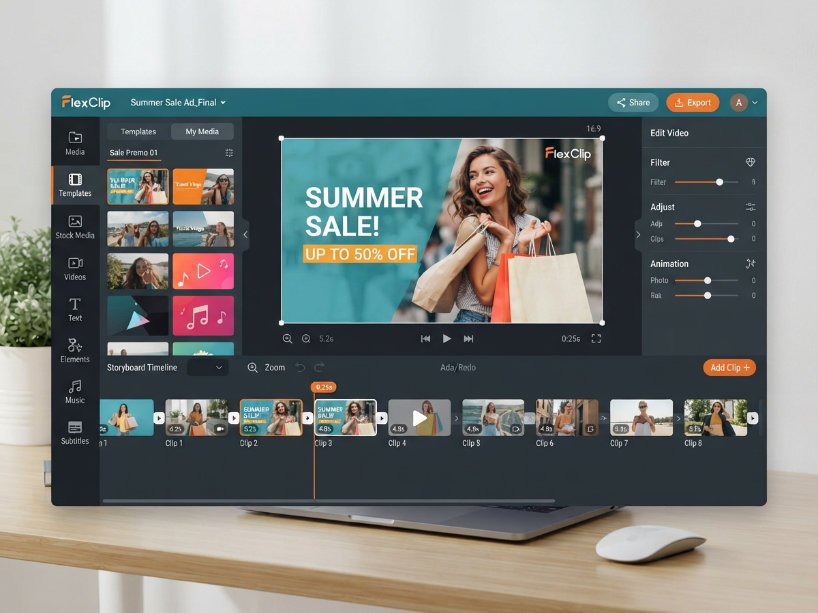
FlexClip uses a storyboard-based editing mode as its primary interface. As confirmed by the original article content and 2026 reviews, the core editing tools cover:
Trim and split: cut any clip to the desired length, split clips at any point, rearrange clip order.
Merge: combine multiple video clips or photo slideshows into one video.
Text overlays: static and animated text in multiple preset styles. Customize font, color, size, alignment and content.
Transitions: overlays, fade in/out, zoom, blur and warp, presentation and stylize transitions between clips.
Speed control: adjust clip speed from 0.2x to 8x.
Filters and color adjustments: basic color correction and visual filters.
Screen recorder: built-in screen and webcam recording for tutorials, software demos and online courses.
Timeline mode: a multi-scene timeline editor for more complex projects. As confirmed by the original article, this mode has expanded since the beta mentioned in old reviews and now handles more complex layering requirements, though it remains less powerful than professional desktop editors.
Export Formats and Storage
As confirmed by the original article content, FlexClip supports:
Video export: MP4 (H.264), MOV, WEBM, M4V. Free plan: 720p maximum. Paid plans: 1080p Full HD. Export speeds are slow for high-resolution files. as documented by multiple Capterra and G2 reviewers, this is a consistent limitation for long or complex projects.
Image export: JPG, PNG, WEBP, SVG, BMP, ICO, GIF.
Audio export: MP3, AAC, M4A, WAV, FLAC, OGG.
Cloud storage: Free plan: no dedicated cloud storage. Plus: 30GB cloud + 100GB export storage. Business: 100GB cloud + 1TB export storage.
Pricing
| Plan | Annual (per mo) | Monthly | Key allowances |
|---|---|---|---|
| Free | $0 | $0 | 720p export. FlexClip watermark. 12 projects max. 10 min video max. 1 stock video + 1 stock audio per project. Good for evaluation only. |
| Plus | $9.99/mo | $11.99/mo | 1080p Full HD. No watermark. No video length limit. 5 stock assets/project. 30GB cloud storage. 100GB export storage. 3,600 AI credits/yr (300/mo). |
| Business | $19.99/mo | $29.99/mo | Everything Plus plus: unlimited stock/project, 100GB cloud, 1TB export storage, 9,600 AI credits/yr (800/mo), team collaboration, priority support. |
| AI Credits | $9.99 / 300 credits | $9.99 / 300 credits | Standalone credit purchase. No subscription needed. Unlocks all AI tools per credit. Buy as needed without upgrading your plan. |
Annual billing saves approximately 17% on Plus and 33% on Business compared to monthly rates. As confirmed by CreatorStackClub’s March 2026 review, the annual Plus commitment is $143.88 upfront. Monthly billing at $11.99 or $19.99 gives flexibility but costs more over time.
Student discount: as confirmed by tooljunction’s May 2026 review, FlexClip offers a 40% discount on all plans for verified students, graduates and teachers through Student Beans. This brings Plus to approximately $6/mo with annual billing.
Refund policy: as confirmed by the official FlexClip pricing page, a 7-day money-back guarantee is available. As noted by some Trustpilot reviewers, subscription auto-renewal and cancellation confirmation can cause issues. take a screenshot of your cancellation confirmation.
Commercial license: as confirmed by the official FlexClip pricing page, paid plan subscribers can use all resources from the stock library and videos created with FlexClip for commercial purposes. The free plan does not include a commercial license.
How FlexClip Scores
| Category | Score | Notes |
|---|---|---|
| Ease of use | Excellent | Flattest learning curve in browser-based video tools. As confirmed by ampifire’s May 2026 analysis, users report usable output within minutes of signup. Rated 4.4 to 4.7 stars across G2, Capterra and Trustpilot. |
| Template library | Excellent | 6,000+ templates well-organized by use case. Covers social, marketing, e-commerce, real estate, education and events. As confirmed by CreatorStackClub’s March 2026 review, more templates than VEED and better organized than most browser tools. |
| AI tools (2026) | Strong | Five frontier AI video models, Product URL to Video, auto-subtitles, 400+ TTS voices, AI image generator, background and noise removal. Strongest AI suite among browser-based video editors at this price. |
| Stock media value | Strong | 4M+ stock videos and photos, 74,000+ music tracks. all included in paid subscriptions without per-asset fees. Commercial license included on paid plans. |
| Timeline editing control | Limited | Single-track timeline. No multi-track audio, motion tracking, color grading or professional compositing. As confirmed by CreatorStackClub’s March 2026 review, you trade advanced control for speed. Appropriate for the target audience. |
| Export speed | Slow for high-res | Cloud-based rendering means export speed depends on server load. High-resolution or long-file exports are slower than expected. documented consistently across Capterra and G2 2026 reviews. |
| Pricing value | Strong | Plus at $9.99/mo annual is competitive with VEED Lite ($12/mo) and undercuts Kapwing Pro ($16/mo). Business at $19.99/mo is reasonable for unlimited stock and team features. CapCut remains cheaper if browser-based access is not required. |
Who Is FlexClip For?
- A social media manager or content creator producing regular short-form videos for TikTok, Reels, YouTube Shorts and Facebook
- A small business owner or e-commerce seller who needs product promo videos quickly. the Product URL to Video tool is uniquely useful
- A freelance marketer or educator who needs professional-looking videos without video editing experience
- A real estate agent, tutor or corporate trainer who needs video content from templates without editing skills
- A student who qualifies for the 40% Student Beans discount (approximately $6/mo on Plus annual)
- Anyone who needs AI-powered text-to-video, auto-subtitles and voiceover in one browser-based tool at $9.99/mo
- A professional video editor who needs multi-track audio, color grading, motion tracking or complex compositing
- A high-volume AI video creator. the Plus plan’s 300 AI credits/month burns down quickly for generative video production
- A creator who needs fast export for long or high-resolution files. slow cloud rendering is a documented limitation
- A team of 2 to 3 that needs collaboration features without paying Business pricing
- A user who needs mobile-first editing. FlexClip is browser-based and not optimized for mobile devices
- A filmmaker or cinematographer who needs cinematic-level tools. use Adobe Premiere Pro or DaVinci Resolve instead
FlexClip vs the Alternatives
| FlexClip | VEED | CapCut Pro | InVideo AI | |
|---|---|---|---|---|
| Entry paid (annual) | $9.99/mo | ~$12/mo | ~$10/mo | ~$20/mo |
| Template library | 6,000+ (strongest) | Good | Strong (mobile) | Stock-based |
| Product URL to Video | Yes (unique) | No | No | No |
| Multi-track timeline | No (single track) | Yes | Yes (desktop) | Limited |
| AI video models | 5 (Veo 3, Sora 2 etc) | Limited | Good | Strong (iStock) |
| Best for | Templates, e-commerce, AI | Subtitles, clean editor | Mobile editing, free | Stock video, iStock |
For a full InVideo AI comparison see our InVideo review and VEED review.
Frequently Asked Questions
Is FlexClip free? Yes. FlexClip has a free plan with all core editing tools. As confirmed by the official FlexClip pricing page and multiple 2026 reviews, the free plan exports at 720p with a FlexClip watermark, limits projects to 12, caps video length at 10 minutes and allows 1 stock video and 1 stock audio per project. The free plan does not include a commercial license. videos cannot be used for business or monetized content. The minimum paid plan for watermark-free 1080p commercial exports is Plus at $9.99/mo annual.
How much does FlexClip cost? Plus is $9.99/month billed annually ($11.99/month billed monthly). Business is $19.99/month billed annually ($29.99/month billed monthly). An AI Credits add-on is available at $9.99 for 300 credits. no subscription required. Students get 40% off via Student Beans. A 7-day money-back guarantee applies. Verify current pricing at flexclip.com/pricing.html.
What AI models does FlexClip use for video generation? As confirmed by CreatorStackClub’s March 2026 review and ampifire’s May 2026 analysis, FlexClip’s AI video generator integrates five frontier models: Hailuo AI, Kling AI, Google Veo 3, ByteDance Seedance 2.0 and OpenAI Sora 2. Users select the model when generating a video clip. As confirmed by CreatorStackClub’s March 2026 review, AI-generated output quality is suitable for B-roll and social content, though heavy credit consumption requires careful budget management on the Plus plan.
What is the Product URL to Video feature? As confirmed by CreatorStackClub’s March 2026 review, Product URL to Video is a FlexClip AI tool that generates a product promotional video automatically when you paste an Amazon, eBay or product page URL. The AI extracts product images and descriptions from the page and assembles them into a ready-to-edit promo video. This feature is not available in VEED or CapCut and is particularly useful for e-commerce sellers and product marketers.
Does FlexClip have a multi-track timeline? No. As confirmed by CreatorStackClub’s March 2026 review and multiple Capterra and G2 reviewers, FlexClip uses a single-track storyboard timeline. There is a timeline mode for more complex projects, but it does not support multi-track audio mixing, picture-in-picture from two simultaneous sources, motion tracking or color grading with LUTs. For multi-track editing, CapCut Pro (desktop) or Adobe Premiere Pro are more appropriate.
How fast does FlexClip export videos? Export speed in FlexClip is cloud-based and depends on server load and file complexity. As confirmed by multiple Capterra and G2 reviewers in 2026, high-resolution or long-file exports can be slower than expected. Short social media clips (under 2 minutes) export relatively quickly. For time-sensitive large file exports, this is a documented limitation to factor in.
Is FlexClip good for e-commerce? Yes. more than most browser-based video tools. The Product URL to Video tool generates product promo videos directly from product page URLs (Amazon, eBay). The 6,000+ templates include dedicated e-commerce and product categories. The 4M+ stock media library covers commercial lifestyle and product footage. As confirmed by tooljunction’s May 2026 review, e-commerce sellers and small business owners are among FlexClip’s most satisfied user groups.
FlexClip Alternatives Worth Considering
Reviewed by our team or compared directly. Choose based on your primary need.
VEED
Browser-based video editor with a cleaner timeline interface, better subtitle styling and strong auto-caption tools. From ~$12/mo annual. Better for podcast-to-video and subtitle-heavy workflows.
InVideo AI
AI text-to-video with iStock integration, voice cloning and multilingual voiceovers. Better for prompt-to-video workflows at volume with professional stock footage. From ~$20/mo annual.
CapCut
Multi-track desktop and mobile editor with AI features. Free plan is generous with no watermark for personal use. Best for creators who want editing control and a free starting point. Pro ~$10/mo.
Movavi
Desktop video editor with advanced timeline, effects and transitions. Better for creators who need more editing control than browser tools allow. One-time purchase option available.
Free plan available. Plus from $9.99/mo annual. 7-day money-back guarantee. 6,000+ templates. AI video generation with Veo 3 and Sora 2.
Visit FlexClip →
Related: VEED Review | InVideo Review | Movavi Review | Canva Review
Sources used in this article: FlexClip Official Pricing Page (flexclip.com/pricing.html) FlexClip Pricing Guide (flexclip.com/learn/flexclip-pricing.html) CreatorStackClub: FlexClip Review, March 2026 (creatorstackclub.com) ampifire: FlexClip AI Reviews, Pricing and Features, May 2026 (ampifire.com) tooljunction: FlexClip Review 2026, May 2026 (tooljunction.io) brightseotools: FlexClip Review 2026, February 2026 (brightseotools.com) G2: FlexClip Pricing 2026 (g2.com) Capterra: FlexClip Pricing 2026 (capterra.com)