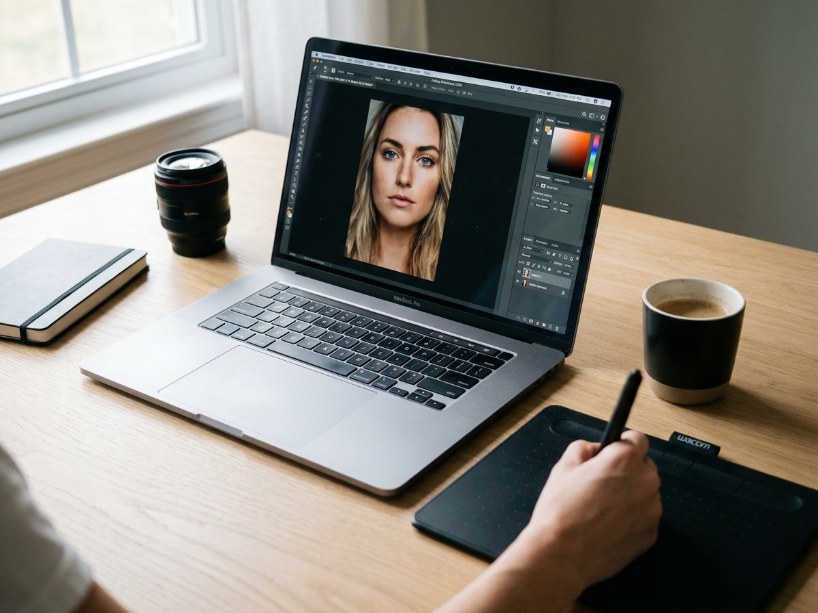
Best for: bloggers, social media creators, small business marketers and photographers who need easy photo touchups, collages and branded social graphics without advanced design skills.
Pricing: Basic $7.99/mo ($72/yr). Pro $12.99/mo ($120/yr). Business $23/mo ($228/yr per user). 7-day free trial available (credit card required, download disabled during trial).
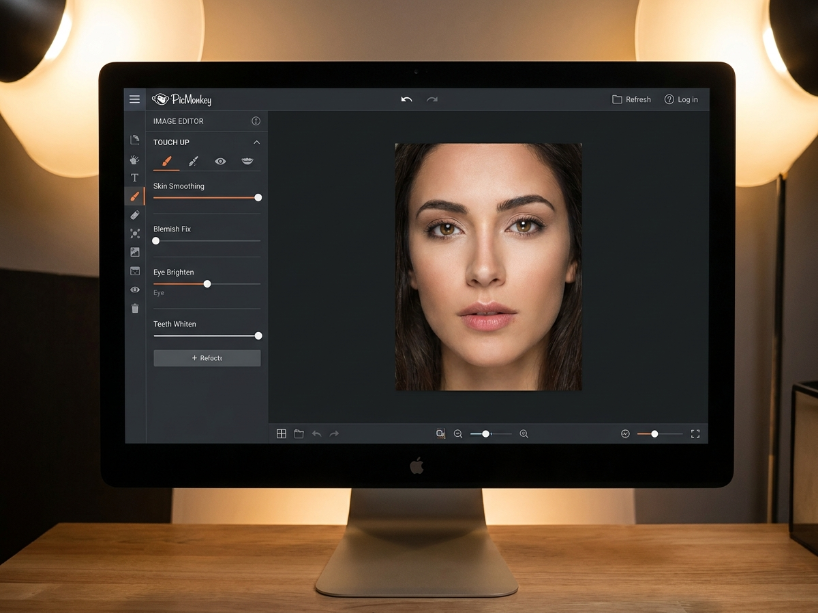
Biggest strength: the best photo touchup tools in this price range, powered by Shutterstock’s stock library. The portrait retouching features (skin smoothing, teeth whitening, red-eye removal) are genuinely more capable than Canva’s equivalent.
Main weakness: no genuine free plan. The trial requires a credit card and does not allow downloads. Background remover and Brand Kit are locked behind Pro. Customer support is frequently criticised for slow email responses.
Bottom line: worth it at the Pro level for creators who frequently edit portrait photos and need branded social templates. For general graphic design, Canva at $15/mo gives more for the money. For photo editing only, Pixlr is cheaper.
PicMonkey is a cloud-based photo editing and design platform founded in 2012 and acquired by Shutterstock in September 2021 for $110 million. As reported by Capterra’s June 2026 review data, 81% of PicMonkey users are small businesses, with marketing and advertising (8% of reviewers) and retail (5%) as the leading industries. The most common use case is photo editing, cited by 75% of reviewers.
The platform combines photo retouching tools (its original strength) with design templates, collage makers, stock photos via Shutterstock integration, Brand Kit, and Hub cloud storage. It is not competing with Adobe Photoshop for professional photo editing. It is aimed at the everyday user who needs polished social media graphics, portrait touchups and branded marketing materials without a learning curve.
Table of Contents
How We Researched This Review
Pricing verification: all plan prices verified from picmonkey.com/pricing and cross-referenced against ITQlick (January 2026), Capterra (June 2026) and Tekpon (2024). Pricing has been stable since 2023 with no major changes confirmed through 2026.
Free trial caveat: the inability to download during the trial period and the credit card requirement verified from Tekpon’s independent review and GetApp user reviews.
Customer support assessment: the consistent pattern of slow email response and no phone support verified from Capterra and GetApp user reviews (June 2026).
PicMonkey at a Glance
| Detail | Information |
|---|---|
| Founded | 2012. Acquired by Shutterstock in September 2021 for $110M. |
| Basic plan | $7.99/mo or $72/yr. 1GB storage. JPG and PNG export. Photo editing and templates. |
| Pro plan | $12.99/mo or $120/yr. Unlimited storage. Smart Resize. Background remover. Brand Kit. PDF export. Shutterstock stock library. |
| Business plan | $23/mo or $228/yr per user. All Pro features plus real-time co-editing, commenting, multiple brand kits, team seats and permissions. |
| Free plan | No genuine free plan. A 7-day trial allows feature testing but not downloads. Credit card required. |
| Stock photos | Powered by Shutterstock library. Accessible on Pro and Business plans. |
| Mobile app | iOS and Android. Free download. Premium features (touchup, cloud storage) require a subscription. |
| Export formats | Basic: JPG, PNG. Pro and Business: JPG, PNG, PDF. |
| Cloud storage (Hub) | Basic: 1GB. Pro and Business: unlimited. |
| Cancellation | Cancel anytime. Account stays active until next renewal date. |
| Affiliate programme | Yes, route via ThirstyAffiliates |
Key Features
Photo editing and touchup tools are where PicMonkey stands apart from general design tools. As confirmed by Capterra’s June 2026 review data, the touchup tools are the most-praised feature among reviewers. Options include skin smoothing, teeth whitening, lip tinting, red-eye removal, eye brightening, blemish removal and hair color tinting. These go significantly deeper than Canva’s photo editing capabilities and are the main reason professional photographers and beauty content creators choose PicMonkey over a general design tool.
Design templates cover social media posts (Facebook, Instagram, Pinterest, Twitter), marketing materials (flyers, posters, banners, business cards, invitations) and other formats. Templates are customizable by text, color, font and graphics. All templates require at least the Basic plan to download.
Collage maker lets you create grid-based and freeform photo collages with adjustable cell sizes and drag-and-drop layout tools. Pre-set collage layouts are available for quick setups.
Background remover uses one-click AI to remove photo backgrounds. This feature is Pro and Business only. On the Basic plan, background removal is not available.
Smart Resize (Pro and Business) reformats any design into multiple platform-specific sizes in one click, which saves time for creators who repurpose content across Instagram, Facebook, Pinterest and other channels.
Brand Kit (Pro: one kit, Business: multiple) stores brand colors, fonts, logos and visual elements so they can be applied to any template in one click. Business plan users can create multiple kits for different campaigns or clients.
Hub cloud storage is PicMonkey’s auto-save workspace where all projects, uploads and designs are saved and accessible from any device. Basic plan gets 1GB, Pro and Business get unlimited storage.
Stock photos on Pro and Business are powered by the Shutterstock library, giving access to millions of stock photos directly inside the editor without a separate Shutterstock subscription.
Real-time co-editing (Business only) allows teams to edit the same design simultaneously, with in-editor commenting, shared folders, and seat and permission management.
Pricing: Three Plans Explained
| Plan | Monthly price | Annual price | What you get |
|---|---|---|---|
| Basic | $7.99/mo | $72/yr ($6/mo) | Full photo editing, effects, templates, touchup tools, text tools, collage maker, graphics library, 1GB Hub storage. Export JPG or PNG. No background remover, Smart Resize, Brand Kit or stock photos. |
| Pro | $12.99/mo | $120/yr ($10/mo) | Everything in Basic plus unlimited storage, Smart Resize, one-click background remover, Brand Kit (one kit), animation, premium stock photo library (Shutterstock), PDF export, priority email support. |
| Business | $23/mo per user | $228/yr per user | Everything in Pro plus multiple brand kits, real-time co-editing (teams of 2+), in-editor commenting, shared folders, searchable tags, seat and permission management, premium email support. |
As reported by Tekpon’s independent review, the Basic plan’s lack of background remover and Smart Resize makes it notably limited compared to what competitors like Canva include in their free tiers. For most practical use cases, the Pro plan is the minimum useful subscription. The annual Pro plan at $10 a month effective is the most commonly recommended starting point.
PicMonkey Pros and Cons
| Pros | Cons |
|---|---|
| Best portrait touchup tools in this price range. Skin smoothing, teeth whitening, red-eye removal and more go deeper than Canva’s photo editing. | No genuine free plan. The 7-day trial requires a credit card and does not allow downloading any work. |
| Shutterstock stock photo library included on Pro and Business without a separate subscription | Background remover, Smart Resize and Brand Kit all locked behind Pro. Basic plan is notably limited. |
| Hub cloud storage with autosave accessible from any device or browser | Customer support is frequently criticised. Majority of user reviews report slow email responses and no phone support. |
| Real-time co-editing and team collaboration on Business plan. Useful for small marketing teams. | Canva at $15/mo offers more AI tools, more templates, and a stronger free tier for the same category. |
| Clean, beginner-friendly interface. Most users report getting up to speed quickly without tutorials. | Limited export formats on Basic (no PDF). No vector export on any plan. |
| Mobile app for iOS and Android for on-the-go editing | Upload size limits can cause errors with very large or high-resolution images |
PicMonkey vs the Alternatives
| PicMonkey | Canva | Pixlr | Adobe Express | |
|---|---|---|---|---|
| Starting paid price | $7.99/mo | $15/mo | ~$1.99 to 7.99/mo | ~$9.99/mo |
| Free plan | Trial only (no downloads) | Yes (strong free tier) | Yes | Yes |
| Portrait touchup | Excellent (best in class) | Basic | Good | Basic |
| AI image generation | No | Yes (Dream Lab) | Yes (built-in AI) | Yes (Firefly) |
| Stock library | Shutterstock (Pro+) | Canva library (large) | Built-in library | Adobe Stock |
| Best for | Portrait touchup, social graphics | All-round design, AI tools | Photo editing, affordable | Adobe users, Firefly AI |
As reported by Tekpon’s independent review, Canva beats PicMonkey in almost every general design category, particularly because Canva’s free plan is usable (downloadable) and includes AI image generation that PicMonkey does not have. Where PicMonkey wins is portrait retouching depth and the Shutterstock library integration for users who already value Shutterstock content.
For a fuller comparison see our Canva review, Pixlr review and best Canva alternatives guide.
Who Should Use PicMonkey?
PicMonkey is the right choice for three specific groups. First, photographers and beauty content creators who regularly edit portrait photos and need skin retouching, blemish removal and teeth whitening tools that go deeper than Canva’s basic photo adjustments.
Second, small business marketers who want branded social media graphics with Brand Kit (Pro), Shutterstock stock photos and Smart Resize for repurposing across platforms, all in one tool at $10 a month effective on the annual Pro plan.
Third, small teams that need real-time co-editing and shared brand management without the cost of Adobe Creative Cloud. The Business plan at $228 a year per user covers up to 2 to 7 people with collaboration, permission management and multiple brand kits.
PicMonkey is not the right choice for creators who need AI image generation (Canva and Adobe Express both offer this, PicMonkey does not), advanced vector design, video editing, or a usable free plan to test before committing.
Frequently Asked Questions
Is PicMonkey free? PicMonkey does not have a genuine free plan. A 7-day trial gives access to design features but does not allow downloading or sharing any work. A credit card is required to start the trial. If you need a free design tool with downloadable output, Canva’s free plan is a stronger starting point.
How much does PicMonkey cost? The Basic plan is $7.99 a month or $72 a year. The Pro plan is $12.99 a month or $120 a year. The Business plan is $23 a month per user or $228 a year per user. Verify current pricing at picmonkey.com/pricing.
Is PicMonkey better than Canva? For portrait retouching and photo touchup specifically, yes. PicMonkey’s touchup tools are more detailed than Canva’s. For general graphic design, templates, AI tools and free-tier usability, Canva is the stronger overall tool. See our Canva review and best Canva alternatives guide for a full comparison.
Does PicMonkey have a background remover? Yes, but only on the Pro and Business plans. The Basic plan does not include the one-click background remover. On Pro and Business, it is a simple one-click tool that works well for clean backgrounds.
Can I use PicMonkey on mobile? Yes. PicMonkey has a free mobile app for iOS and Android. The app includes basic editing tools. Premium features like touchup and Hub cloud storage require a paid subscription, and the experience is designed to work alongside the desktop editor rather than replace it.
Who owns PicMonkey? Shutterstock acquired PicMonkey in September 2021 for $110 million. PicMonkey operates as a standalone platform with its own subscription structure, and the Shutterstock stock library is integrated directly into the Pro and Business plans.
PicMonkey Alternatives Worth Considering
Reviewed by our team. Read the full review or head straight to the tool.
Canva
Best all-round design tool with AI image generation, a large free tier and 250,000+ templates from $15/mo.
Pixlr
Browser-based photo editor with AI tools and a usable free plan. Good for photo editing at a lower price point.
Adobe Express
Adobe’s Canva rival with Firefly AI image generation and commercially safe AI output from $9.99/mo.
Placeit
Best for mockups, logos and branded templates. 85,000+ designs from $7.47/mo annual for print on demand and marketing.
Pro plan from $12.99/mo or $120/yr. 7-day trial available. Cancel anytime.
Visit PicMonkey →
Related: Best Canva Alternatives | Canva Review | Pixlr Review | Best AI Design Tools | Placeit Review
Sources used in this article: PicMonkey Official Pricing Page (picmonkey.com/pricing) Capterra: PicMonkey Reviews and Pricing, June 2026 (capterra.com) GetApp: PicMonkey Reviews 2026 (getapp.com) ITQlick: Is PicMonkey Worth It in 2026 (itqlick.com) Tekpon: PicMonkey Reviews and Pricing (tekpon.com) ZoftwareHub: PicMonkey Plans and Pricing Breakdown (zoftwarehub.com)