
Best for: designers, photographers, video editors and marketing teams already working in Adobe Creative Cloud who want stock assets that integrate directly into Photoshop, Illustrator, Premiere Pro, InDesign and other CC apps without switching tools.
Pricing: Standard plans from $29.99/mo (10 assets, annual). AI Studio from $34.99/mo. Credit packs from $49.99 (5 credits, no expiry). 30-day free trial on standard plans (10 assets kept even if cancelled). 50% cancellation fee applies after 14 days on annual plans.
Library: 400M+ photos, vectors, illustrations, videos, audio, templates, 3D models and fonts. 1M+ free assets available without subscription. 900M+ total including AI-generated and Firefly content.
Biggest strength: the Creative Cloud integration. Browsing, watermark-previewing and licensing stock assets directly inside Photoshop, Illustrator or Premiere Pro without switching applications saves meaningful time for designers working in those tools.
Main weakness: expensive if you are not a Creative Cloud user. Not substantially cheaper than Shutterstock for non-CC users. 50% cancellation fee on annual plans after the 14-day grace period. Images and videos are technically separate subscriptions (though HD video is included in Standard plans).
Bottom line: the best stock platform for Creative Cloud users by a clear margin. For non-CC users, Shutterstock or Depositphotos give similar library access at similar or lower cost without the Adobe ecosystem dependency.
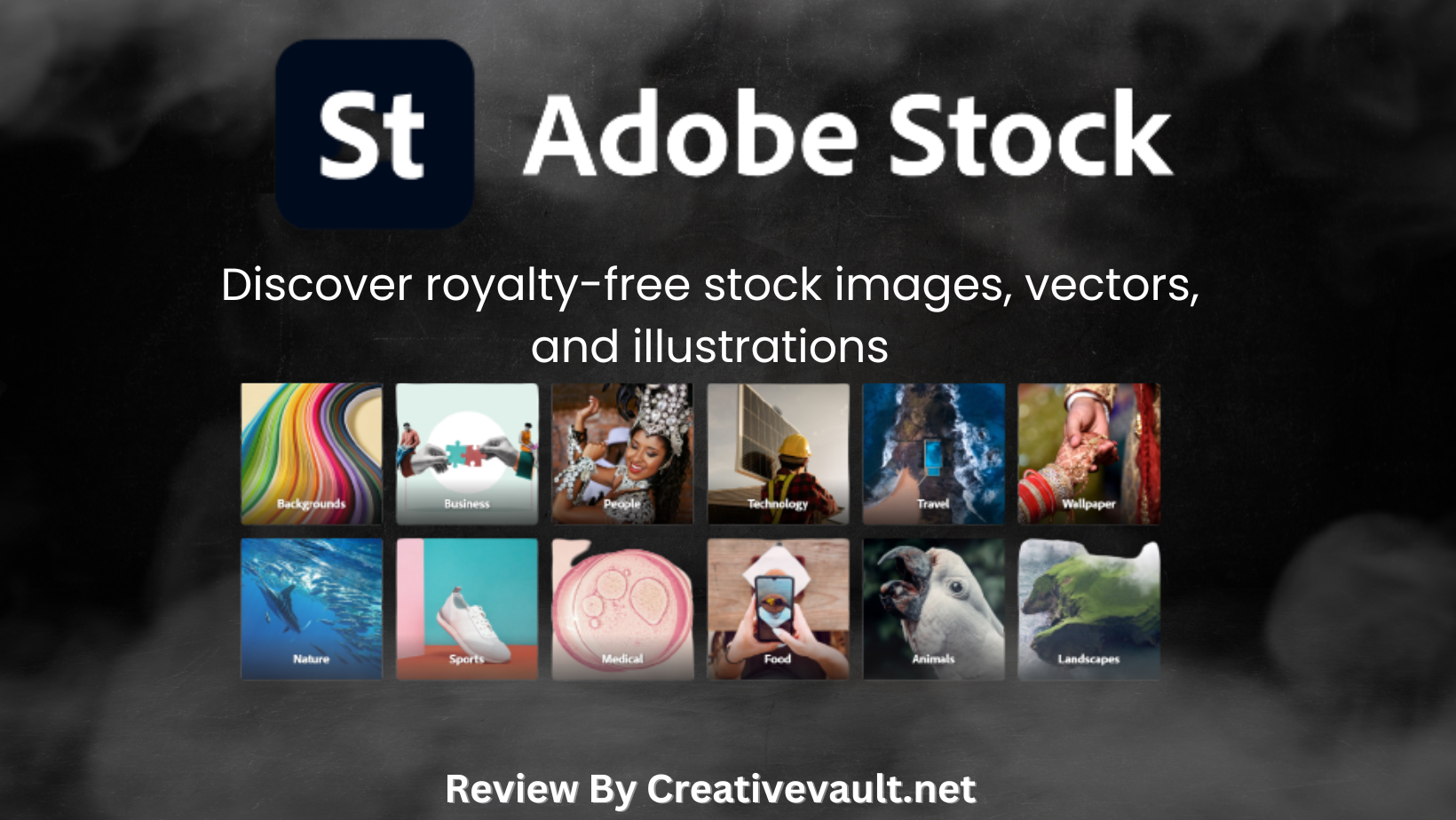
Adobe Stock is Adobe’s native stock media platform, launched in 2015 and integrated directly into the Adobe Creative Cloud suite. As confirmed by Design Offset’s January 2026 analysis, the library now covers over 400 million assets including photos, vectors, illustrations, videos, audio, templates, 3D models and fonts, with Adobe advertising 900M+ total assets on its plans page when including Firefly AI-generated content and additional collections.
The platform operates on the same licensing infrastructure as the broader Creative Cloud, which means a subscription to Adobe Stock unlocks seamless in-app access to stock assets inside Photoshop, Illustrator, InDesign, Premiere Pro, After Effects and other CC applications. As confirmed by StackScored’s April 2026 analysis, this CC integration saves 2 to 5 minutes per licensed asset compared to the standard browser-to-desktop-to-import workflow.
Table of Contents
How We Researched This Review
Pricing verification: current plan prices (10 assets $29.99/mo annual, 25 assets $49.99/mo, 40 assets $79.99/mo, 750 assets $199.99/mo) confirmed from Photutorial’s June 2026 pricing analysis and StackScored’s April 2026 breakdown.
AI Studio: new AI Studio plan at $34.99/mo with annual billing confirmed from Photutorial’s June 2026 update citing Adobe’s Creative Cloud pricing page.
Download rollover: rollover on 10-asset and 40-asset annual plans confirmed from Photutorial’s June 2026 analysis and StockPhotoSecrets.
30-day free trial: confirmed still active on standard 10-asset and 25-asset promo pages as of June 2026 per Photutorial’s review.
Credit non-expiry: credits purchased through Adobe do not expire as of 2026, confirmed from Stoxcy’s April 2026 analysis.
50% cancellation fee: confirmed from Adobe’s own plans page disclaimer language and CheckThat.ai’s billing analysis.
HD video included in Standard: confirmed from StackScored’s April 2026 analysis as a differentiator from competitors.
Adobe Stock at a Glance
| Detail | Information |
|---|---|
| Launched | 2015. Owned and operated by Adobe Inc. |
| Library | 400M+ photos, vectors, illustrations, video, audio, templates, 3D. 900M+ total with AI content. |
| Free assets | 1M+ free photos and vectors without subscription (filter “Free” in search) |
| Standard 10-asset plan | $29.99/mo (annual, billed monthly). 10 assets/mo. Rollover applies. |
| Standard 25-asset plan | $49.99/mo (annual). 25 assets/mo or 3 HD videos. 30-day trial on this plan. |
| Standard 40-asset plan | $79.99/mo (annual). 40 assets/mo or 6 HD videos. Rollover applies. |
| Standard 750-asset plan | $199.99/mo (annual). 750 assets/mo. ~$0.26/asset, best subscription rate. |
| AI Studio plan | From $34.99/mo (annual). Unlimited AI editing, 10,000 generative credits for motion edits, full library access. |
| Credit packs | From $49.99 (5 credits) to $1,199.99 (150 credits). Credits do not expire as of 2026. |
| Download rollover | Yes, on 10-asset and 40-asset annual plans. Unused downloads carry over monthly. |
| HD video in Standard | Yes. HD video is included in Standard subscription plans. 4K video costs extra (20% subscription discount applies). |
| Free trial | 30-day free trial on standard 10-asset and 25-asset plans. 10 assets downloaded during trial are kept even if cancelled. |
| Cancellation fee | 50% of remaining annual balance if cancelled more than 14 days after paid subscription begins |
| CC integration | Photoshop, Illustrator, InDesign, Premiere Pro, After Effects, Adobe Express, Lightroom. Right-click to license at full resolution directly inside the app. |
| License | Standard, Enhanced or Extended (for merchandise/resale). All royalty-free. |
| Contributor commission | 33%+ royalty on sales |
| Affiliate programme | Yes, route via ThirstyAffiliates |
The Creative Cloud Integration: Why It Matters
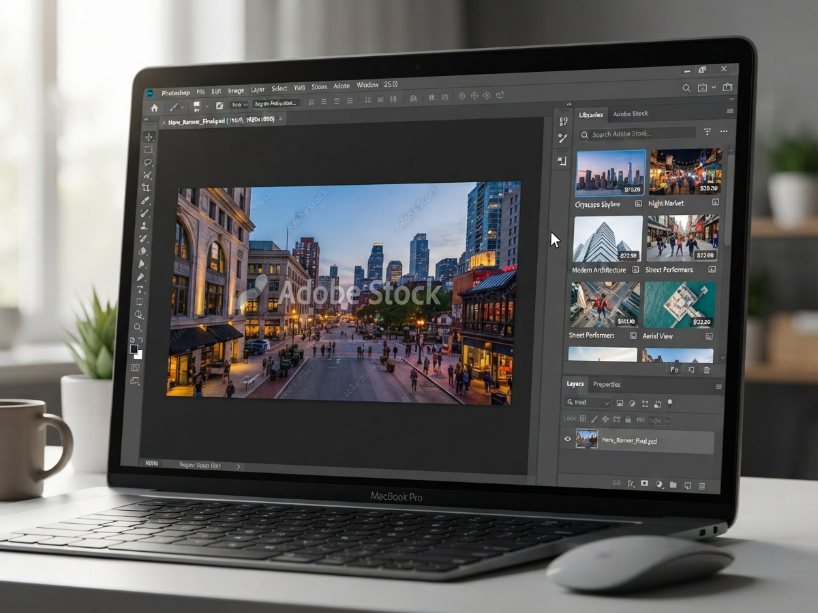
The CC integration is the single most important reason to choose Adobe Stock over equally priced competitors. As confirmed by StackScored’s April 2026 analysis, the workflow advantage is concrete: when you find a stock image in the Adobe Stock search panel inside Photoshop, you can place a watermarked preview directly into your canvas to see how it looks in context. When you are ready to license, a single right-click replaces the watermarked placeholder with the full-resolution licensed file, properly attributed in the file metadata.
The same workflow applies across the full Creative Cloud suite:
- Photoshop: browse, preview watermarked and license in the Libraries panel without leaving the application
- Illustrator: find and license vector assets, place directly into artboards
- InDesign: drop watermarked previews into layouts, license when the project is approved for production
- Premiere Pro: find and license video clips from within the application, use in timelines directly
- After Effects: motion graphics templates from Adobe Stock integrate directly into compositions
- Adobe Express: browse and use Stock assets inside the simplified design tool
For a designer or video editor using Creative Cloud daily, this integration is a genuine time-saver. For a creator who does not use Creative Cloud, the integration provides no advantage, and Shutterstock or Depositphotos at similar or lower prices become more rational choices.
New in 2026: AI Studio
Note: AI Studio plans may show a 7-day trial rather than the 30-day trial available on standard plans. Check the plan details carefully at stock.adobe.com/plans before starting a trial if the 30-day period matters to you.
Adobe Stock Pricing: Full 2026 Breakdown
| Plan | Annual price | Monthly price | Assets/mo | Rollover |
|---|---|---|---|---|
| Free | $0 | $0 | 1M+ free assets (filter “Free”) | N/A |
| Standard 10 | $29.99/mo | $49.99/mo | 10 images/vectors/audio/templates | Yes (annual) |
| Standard 25 | $49.99/mo | $69.99/mo | 25 standard assets or 3 HD videos | No |
| Standard 40 | $79.99/mo | $99.99/mo | 40 standard assets or 6 HD videos | Yes (annual) |
| Standard 750 | $199.99/mo | $249.99/mo | 750 assets/mo (~$0.26/asset) | No |
| AI Studio | From $34.99/mo | Varies | Full library + 10,000 AI motion credits | Varies by plan |
| Credit packs (5) | $49.99 | $49.99 | On-demand (no expiry) | N/A (no expiry) |
| Credit packs (40) | $359.99 | $359.99 | On-demand (no expiry) | N/A (no expiry) |
| Credit packs (150) | $1,199.99 | $1,199.99 | On-demand (~$8/credit, no expiry) | N/A (no expiry) |
Credit pack advantage: as confirmed by Stoxcy’s April 2026 analysis, Adobe Stock credits do not expire as of 2026. This makes credit packs a practical option for freelancers with unpredictable stock needs. Buy once, use at your own pace. This is a meaningful advantage over Shutterstock’s on-demand image packs which are valid for only 12 months.
HD video in Standard subscriptions: as confirmed by StackScored’s April 2026 analysis, HD video is included within Standard Adobe Stock subscriptions. Most competing platforms require a separate video subscription on top of an image subscription. This makes the 40-asset plan at $79.99/mo particularly good value for creators who need a mix of images and standard video clips.
Licensing: Three Types
Standard License is included with all subscription downloads and standard credit purchases. Covers commercial use in websites, social media, advertising, print up to 500,000 copies and digital distribution. Standard legal indemnification applies.
Enhanced License is available through credit purchases and provides unlimited distribution rights. Required for merchandise, templates sold to other users (where the image is the main value of the product), and campaigns exceeding the 500,000 copy limit.
Extended License adds full rights to resell assets as merchandise or in products where the asset is the core value (such as artwork prints, t-shirts, phone cases). Available through credits only.
Editorial License covers editorial use only (news, blogs, documentaries). Cannot be used for commercial advertising. Editorial content requires an individual credit purchase or an Enterprise plan.
Adobe Stock Pros and Cons
| Pros | Cons |
|---|---|
| Best-in-class Creative Cloud integration: browse, preview watermarked and license stock assets directly inside Photoshop, Illustrator, Premiere Pro, InDesign and other CC apps | 50% cancellation fee applies after the 14-day grace period on annual plans. Read terms carefully before subscribing. |
| Download rollover on 10-asset and 40-asset annual plans. Unused monthly downloads carry over, unlike Shutterstock which loses unused downloads at month end. | Expensive if you are not a Creative Cloud user. No pricing advantage over Shutterstock for non-CC creators. |
| HD video included in Standard subscription plans. Most competitors require a separate video subscription. | 4K video requires additional credits (even with subscription, 20% discount only). Premium and editorial content also cost extra credits. |
| Credit packs do not expire as of 2026. Buy once, use at your own pace with no 12-month expiry deadline. | Customer support quality concerns noted in older reviews. Enterprise-tier support is more responsive than individual plan support. |
| 30-day free trial on standard plans with 10 assets kept permanently even if you cancel. No-risk way to test the library. | Premium and editorial images require credits or Enterprise plan even on subscription, which surprises first-time subscribers |
| AI Studio adds AI-powered image editing, generative fill, Firefly integration and 10,000 motion generative credits before licensing | AI Studio plans have a 7-day trial (not 30-day) and different cancellation terms from standard plans |
Adobe Stock vs the Alternatives
| Adobe Stock | Shutterstock | iStock | Depositphotos | |
|---|---|---|---|---|
| Entry price (10 assets) | $29.99/mo (annual) | $29/mo (annual) | ~$29/mo (annual) | $9.99/mo (annual) |
| Library | 400M+ / 900M+ with AI | 600M+ | 510M+ (Getty) | 330M+ |
| Download rollover | Yes (10 and 40 plans) | No | No | Yes (most plans) |
| Free trial | 30 days (10 assets kept) | No free trial | Varies by plan | No trial on paid |
| CC integration | Native (best in class) | Plugin available | Plugin available | No CC integration |
| Best for | Creative Cloud users | Largest library, volume | Getty exclusive content | Budget, rollover credits |
For a fuller comparison see our Shutterstock review, iStock review and Depositphotos review.
Who Should Use Adobe Stock?
As confirmed by StackScored’s April 2026 analysis, the primary audience for Adobe Stock is the estimated 30 million active Creative Cloud subscribers. If you regularly work in Photoshop, Illustrator, Premiere Pro, InDesign or After Effects, the in-app stock integration is a genuine and meaningful workflow advantage over alternatives that require browser-to-desktop file transfers.
For designers and video editors already paying for a Creative Cloud subscription, Adobe Stock at $29.99/mo for 10 assets is the natural first choice. The rollover policy on the 10-asset plan adds extra practical value for creators whose stock needs vary month to month.
For creators who do not use Creative Cloud, Adobe Stock offers no pricing advantage over Shutterstock (same entry price) or Depositphotos (significantly cheaper entry price with rollover). In this case, see our Shutterstock review and Depositphotos review for better-suited alternatives.
For free stock assets, Adobe Stock itself offers 1M+ free assets accessible by filtering “Free” in the search. For broader free options see our Unsplash review and Pixabay review.
Frequently Asked Questions
Does Adobe Stock have a free trial? Yes. As confirmed by Photutorial’s June 2026 review, a 30-day free trial is available on the standard 10-asset and 25-asset plans. The 10 assets you download during the trial are yours to keep permanently even if you cancel before the trial ends. AI Studio plans may show a shorter 7-day trial. Check the plan details at stock.adobe.com/plans before starting.
How much does Adobe Stock cost? The Standard 10-asset plan is $29.99 a month on annual billing (billed monthly) or $49.99 a month on month-to-month billing. Higher tiers cover 25 ($49.99/mo annual), 40 ($79.99/mo annual) and 750 ($199.99/mo annual) assets per month. AI Studio plans start at $34.99/mo annual. Credit packs start at $49.99 for 5 credits with no expiry. Verify current pricing at stock.adobe.com/plans.
Do Adobe Stock downloads roll over? Yes, but only on the 10-asset and 40-asset annual plans. As confirmed by Photutorial’s June 2026 analysis, unused downloads on these plans carry over to the following month. The 25-asset and 750-asset plans do not include rollover. This is a meaningful advantage over Shutterstock, which does not offer rollover on any subscription plan.
What is the cancellation fee for Adobe Stock? As stated on Adobe’s plans page, cancelling an annual Adobe Stock subscription more than 14 days after the paid subscription begins triggers a fee equal to 50% of the remaining annual balance. The first 14 days after your paid subscription starts is penalty-free. After that, you owe 50% of the remaining months. If you are unsure about committing annually, start with the monthly plan.
Do Adobe Stock credit packs expire? As of 2026, Adobe Stock credits purchased through credit packs do not expire. As confirmed by Stoxcy’s April 2026 analysis, this is a change from earlier policies and makes credit packs a practical pay-as-you-go option for freelancers with unpredictable asset needs.
Is HD video included in Adobe Stock subscriptions? Yes. As confirmed by StackScored’s April 2026 analysis, HD video is included in Adobe Stock Standard subscription plans. 4K video requires additional credits at a 20% discount for subscribers. This differs from most competing platforms where video is a separate subscription.
Can I use Adobe Stock without a Creative Cloud subscription? Yes. Adobe Stock is available as a standalone subscription separate from Creative Cloud. However, without Creative Cloud, you lose the in-app integration that is Adobe Stock’s primary differentiator. For non-CC users, Shutterstock or Depositphotos offer comparable stock access at similar or lower prices.
Adobe Stock Alternatives Worth Considering
Reviewed by our team. Read the full review or head straight to the platform.
Shutterstock
600M+ assets, the largest stock library. Same entry price as Adobe Stock but without CC integration. Best for non-CC users who need volume.
iStock
Getty Images’ curated library with 510M+ exclusive assets and $250K indemnification. Best for exclusive editorial and professional imagery.
Depositphotos
330M+ assets from $9.99/mo with rollover credits, AI image generator and the most affordable entry point for stock photos with rollover.
Storyblocks
7M+ human-made stock video, music and After Effects templates. Unlimited downloads from $30/mo annual. Zero AI content policy.
From $29.99/mo annual. 30-day free trial, 10 assets kept. 400M+ library. CC integration included.
Visit Adobe Stock →
Related: Best Stock Photo Sites | Shutterstock Review | iStock Review | Depositphotos Review | Storyblocks Review | Canva Review
Sources used in this article: Adobe Stock Official Plans Page (stock.adobe.com/plans) Adobe Stock Help: Common Questions about Plans (helpx.adobe.com/stock) Photutorial: Adobe Stock Pricing Explained, June 2026 (photutorial.com) StackScored: Adobe Stock Pricing and Analysis, April 2026 (stackscored.com) Design Offset: Adobe All Plans and Pricing for Individuals, January 2026 (design-offset.com) Stoxcy: How to Get Adobe Stock Assets Cheap, April 2026 (stoxcy.com)