
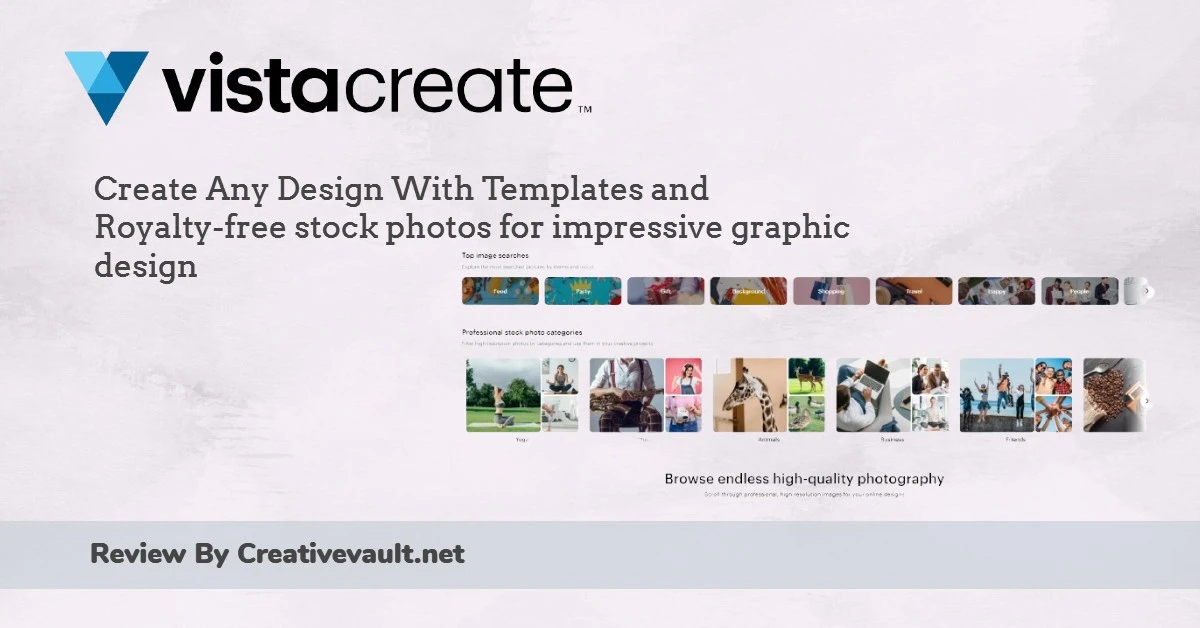
VistaCreate (formerly Crello) is an online graphic design platform owned by Vista/VistaPrint, which acquired the original Crello tool in 2021. In 2026 the platform covers 85 design formats, 200,000+ templates, a 170M+ asset library on Pro, and a growing suite of AI tools. all at a price point that undercuts Canva Pro by $2-3/mo on annual billing with team collaboration included at no extra per-seat charge.
Its clearest positioning: a budget-conscious alternative to Canva for creators, social media managers and small teams who need animated content, template-based design and social publishing without the higher per-user cost Canva charges for teams.
200,000+ static and animated templates across 85 formats. Drag-and-drop editor. Built-in animation tools for social posts, stories and ads. 760+ fonts.
AI Image Generator (100 images/mo on Pro), AI Background Remover (free on Starter), AI Object Remover, AI Writer, Sticker Maker. No credit system.
Up to 10 team members at no extra per-seat charge on Pro. Unlimited Brand Kits. Direct publishing to Facebook, Instagram and Pinterest.
Quick Verdict
Best for: social media managers, content creators, small business owners and small teams who need animated social media graphics, a large template library and team collaboration at a lower price than Canva.
Pricing: Starter free (100,000+ templates, 1M+ assets, background remover, 10GB storage). Pro $13/mo monthly or $10/mo annual ($120/yr). 14-day free trial on Pro, no credit card required.
Biggest strength: animated content on both free and paid tiers. VistaCreate’s animation editor lets users add motion to social posts, stories and ads directly in the browser, which Snappa and BeFunky do not support at all. Team collaboration for up to 10 members is included in Pro at no extra per-seat charge. a meaningful cost saving vs Canva Teams.
Main weakness: the resize tool (adapting a design to different platform sizes) is locked to Pro. several competitors include it on free plans. Template library (200,000) is significantly smaller than Canva (3.6M+). Not true simultaneous co-editing. team members take turns on the same file.
Bottom line: the best-value animated design tool for small teams in 2026. If animation, team access and budget matter, VistaCreate delivers more per dollar than Canva. If template volume and ecosystem depth matter more, Canva is the stronger platform.
Key Features
Animation: VistaCreate’s Clearest Differentiator
As confirmed by CreatorStackClub’s June 2026 review and TechSpoto’s 2026 pricing analysis, VistaCreate’s strongest point of difference from Snappa and BeFunky is its built-in animation editor. Users can add animated text effects, transitions, animated objects and motion graphics to social posts and stories directly in the browser without After Effects or paid add-ons.
Animated templates are available on both the Starter (free) and Pro tiers. This is a meaningful practical advantage. Snappa creates static JPG/PNG only, and BeFunky has no animation capability. Canva offers animation on paid plans. VistaCreate gives animated social content on free.
Exports for animated content include MP4 (video) and GIF formats alongside JPG and PNG for static designs.
Templates: 200,000+ Across 85 Formats
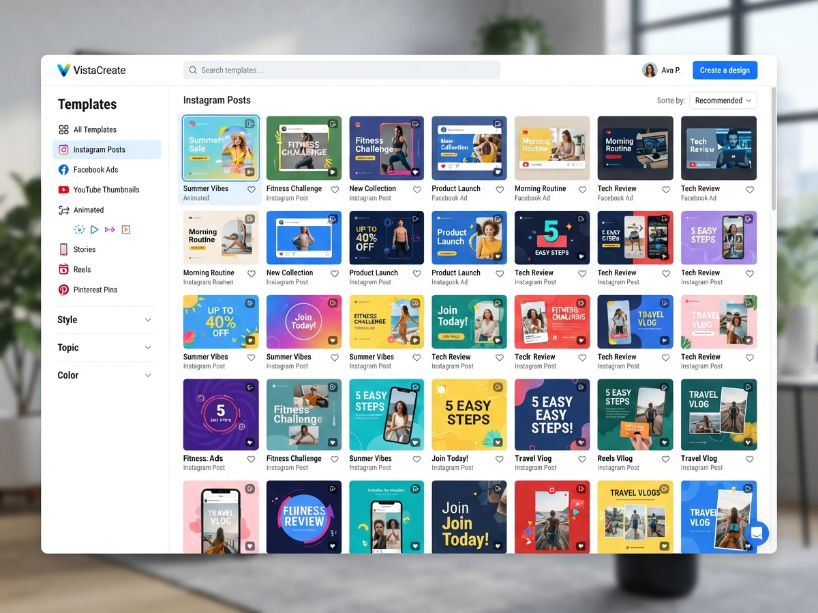
As confirmed by TechSpoto’s 2026 pricing analysis, VistaCreate’s Pro plan gives access to 200,000+ templates (100,000+ on Starter free) covering 85 design formats. Categories span every major social media platform: Instagram posts and stories, Facebook posts and ads, YouTube thumbnails and banners, Pinterest pins, TikTok graphics, Twitter/X headers, LinkedIn banners, plus print formats (flyers, posters, brochures, business cards) and presentations.
Templates are updated weekly, as confirmed by the official VistaCreate pricing page.
Note: 200,000 is significantly smaller than Canva’s 3.6M+ template library. For users who rotate through the same formats regularly, this is sufficient. For users who need constant variety across niche categories, Canva covers more ground.
AI Tools in 2026
AI Background Remover: available free on the Starter plan. One-click subject isolation and background removal. No credits consumed for standard use.
AI Image Generator: text-to-image generation, 100 images per month on Pro. Available on Pro plan. No separate credit system or per-image charge within the 100/mo allowance.
AI Object Remover: removes unwanted elements from images automatically. Available on Pro.
AI Writer: generates copy for captions, headlines and design text. Available on Pro.
Sticker Maker: converts images into customizable stickers for use in designs.
Note: as confirmed by Toolworthy’s May 2026 review, VistaCreate’s AI suite is more limited than Fotor (20+ AI tools) or Canva (Magic Studio). It covers the most practical daily use cases without the depth of a dedicated AI image platform.
Team Collaboration: 10 Members, No Extra Charge
As confirmed by TechSpoto’s 2026 analysis and Toolworthy’s May 2026 review, VistaCreate Pro allows up to 10 team members to share a workspace, access team folders and collaborate on designs for no additional per-seat charge. This compares favourably to Canva Teams, which charges per seat at $10/seat/mo with a 3-seat minimum ($360/yr minimum for teams).
For a team of five, Canva Teams costs $600/yr while VistaCreate Pro costs $120/yr. a $480/yr saving. The trade-off, as confirmed by Toolworthy’s May 2026 review, is that VistaCreate does not support true simultaneous co-editing: team members must take turns editing the same project rather than editing simultaneously like Google Docs or Canva’s real-time mode.
Team features are only accessible via the web version. As confirmed by Toolworthy’s May 2026 review, the VistaCreate mobile app does not support Team Account features.
Brand Kit
As confirmed by TechSpoto’s 2026 analysis, the Starter (free) plan includes one Brand Kit (colors, logos, fonts). Pro unlocks unlimited Brand Kits. useful for agencies and freelancers managing multiple clients, or multi-brand businesses maintaining separate visual identities.
Direct Social Publishing
VistaCreate allows direct publishing and scheduling from within the platform to Facebook, Instagram and Pinterest. As confirmed by Toolworthy’s May 2026 review, Twitter/X and LinkedIn are not currently supported for direct scheduling. Buffer integration is not mentioned in current VistaCreate documentation; social scheduling is native to the platform.
Resize Tool (Pro Only)
The resize tool adapts a finished design to different platform dimensions in one click. convert an Instagram post to a Facebook cover, Pinterest pin and YouTube thumbnail simultaneously. As confirmed by CreatorStackClub’s June 2026 review, this feature is locked to Pro. Several competitors (including some Canva free features and Snappa’s free resizer) offer basic resizing on free plans. If resizing between platforms is a regular workflow need, this is a meaningful reason to subscribe to Pro.
Pricing
| Plan | Monthly | Annual | Key inclusions |
|---|---|---|---|
| Starter (Free) | $0 | $0 | 100,000+ static and animated templates. 1M+ assets. AI Background Remover. Basic Brand Kit. 10GB storage. Animated exports (MP4, GIF). No watermarks. Single user. |
| Pro | $13/mo | $10/mo ($120/yr) | 200,000+ templates. 170M+ premium assets. Unlimited Brand Kits. Unlimited storage. Resize tool. AI Image Generator (100/mo). AI Object Remover. AI Writer. Up to 10 team members. HD downloads. Version history. 14-day free trial (no credit card). |
Annual saves 23%: Pro drops from $13/mo to $10/mo billed annually ($120/yr). As confirmed by TechSpoto’s 2026 analysis, this brings VistaCreate Pro below Canva Pro ($120/yr or $180/yr) on annual billing, making it the most affordable full-featured animated design tool with team collaboration in the category.
14-day free trial: as confirmed by TechSpoto’s 2026 analysis, the Pro trial requires no credit card upfront. Designs are saved if you downgrade to Starter after the trial.
Cancellation: cancel anytime from account settings. Designs remain saved on Starter plan. No prorated refund on annual subscriptions.
How VistaCreate Scores
| Category | Score | Notes |
|---|---|---|
| Animation tools | Excellent | Animated templates and a motion editor available on both free and paid tiers. Stronger than Snappa (none) and BeFunky (none). Comparable to Canva at a lower price. |
| Team value | Excellent | 10 team members included in Pro at $10/mo annual. No per-seat charge. Team of 5 saves $480/yr vs Canva Teams ($600/yr). |
| Free plan | Strong | 100,000+ templates, 1M+ assets, animated content and AI background remover on free tier. No watermarks on downloads. Competitive with Canva Free. |
| AI tools | Moderate | Background remover, image generator (100/mo), object remover and writer available. Less comprehensive than Fotor (20+ tools) or Canva (Magic Studio). Sufficient for most everyday needs. |
| Template library | Moderate | 200,000+ is solid but significantly smaller than Canva (3.6M+). Some G2 reviewers note the library does not update fast enough for niche content categories. |
| Editor stability | Mixed | Capterra 2026 reviewers flag occasional bugs, freezing and failed downloads. Not consistently reported but worth knowing before committing to a workflow dependency. |
| Collaboration depth | Limited | 10 members at no extra cost is good value. However, not true simultaneous co-editing. Team members must take turns on the same project. Team features unavailable on mobile app. |
| Resize tool | Pro only | Resizing a design to different platform formats is locked to Pro. Snappa includes a basic resizer on all plans. Free users must manually recreate designs for each format. |
Who Is VistaCreate For?
- A social media manager who needs animated posts, stories and ads alongside static graphics
- A small team of up to 10 that needs shared workspaces without paying per-seat charges
- A budget-conscious creator who wants Canva-like features at a lower annual cost
- A content creator who needs to resize designs across platforms regularly (Pro)
- A freelancer or agency managing multiple brands who needs unlimited Brand Kits
- Anyone wanting to test a full-featured design tool free with animated templates included
- A large team needing simultaneous real-time co-editing on the same file
- A mobile-first creator. team features are not available on the VistaCreate mobile app
- A designer who needs the template volume and ecosystem depth of Canva (3.6M+ templates)
- A professional photographer who needs photo retouching, RAW support or advanced AI image tools
- Someone who needs to schedule to Twitter/X or LinkedIn directly (not currently supported)
- A free-plan user who needs the resize tool. it is Pro-only on VistaCreate
VistaCreate vs the Alternatives
| VistaCreate | Canva | Snappa | BeFunky | |
|---|---|---|---|---|
| Pro price (annual) | $10/mo | ~$13/mo | $10/mo (no discount) | $6.99/mo |
| Animation | Yes (free + Pro) | Yes (Pro) | No | No |
| Team members | 10 (no extra charge) | Per-seat ($10/seat) | Yes (Team plan $20) | No team plan |
| Templates | 200,000+ | 3.6M+ | 6,000+ | Moderate |
| AI tools | Moderate | Strong (Magic) | None | Good (Artsy, BG) |
| Best for | Animated content, teams | Everything, ecosystem | Fast static graphics | Artsy effects, collage |
For full comparisons see our Canva review, Snappa review and BeFunky review.
Frequently Asked Questions
Is VistaCreate free? Yes. VistaCreate’s Starter plan is free with no time limit. It includes 100,000+ static and animated templates, 1M+ royalty-free assets, AI background remover, a basic brand kit and 10GB storage. Designs download without watermarks. The free plan is single-user only. The Pro plan ($10/mo annual) unlocks 200,000+ templates, 170M+ premium assets, the resize tool, unlimited Brand Kits and team collaboration for up to 10 members.
How much does VistaCreate cost? VistaCreate Pro is $13/month on monthly billing or $10/month billed annually ($120/year). As confirmed by TechSpoto’s 2026 analysis, annual billing saves 23% compared to monthly. A 14-day free trial of Pro is available with no credit card required upfront. Verify current pricing at create.vista.com/plans.
Is VistaCreate the same as Crello? Yes. VistaCreate was formerly known as Crello. As confirmed by multiple 2026 independent reviews, the tool was launched as Crello, acquired by VistaPrint/Vista in 2021, and rebranded as VistaCreate. The name changed; the core design platform and features continued under the Vista family of products.
How does VistaCreate compare to Canva? Both are browser-based drag-and-drop design tools. As confirmed by Toolworthy’s May 2026 review and CreatorStackClub’s June 2026 review, VistaCreate Pro costs $10/mo annually vs Canva Pro’s approximately $13/mo annually. VistaCreate includes team collaboration for up to 10 members at no extra per-seat charge; Canva Teams charges $10/seat/mo. Canva has a significantly larger template library (3.6M+ vs 200,000+) and a more polished editor with a broader AI suite. VistaCreate is the better price choice for small teams. Canva is the better choice for template variety and ecosystem depth.
Does VistaCreate have a mobile app? Yes. VistaCreate has apps for iOS and Android. As confirmed by Toolworthy’s May 2026 review, the mobile app does not support Team Account features. team collaboration must be done via the web version. The mobile app covers core design features for individual use on the go.
Can I publish directly to social media from VistaCreate? Yes, with limitations. As confirmed by Toolworthy’s May 2026 review, VistaCreate supports direct publishing and scheduling to Facebook, Instagram and Pinterest. Twitter/X and LinkedIn direct publishing are not currently supported. Both Starter and Pro users can use social publishing.
Is the resize tool free on VistaCreate? No. As confirmed by CreatorStackClub’s June 2026 review, the resize tool (which adapts a finished design to multiple platform formats in one click) is locked to the Pro plan. Free Starter users must manually recreate designs for each platform format. If cross-platform resizing is a core workflow need, this is a meaningful reason to subscribe to Pro.
VistaCreate Alternatives Worth Considering
Reviewed by our team. Read the full review or head straight to the platform.
Canva
3.6M+ templates, stronger AI suite (Magic Studio), real-time co-editing and broader ecosystem. Best if template volume and editor polish matter more than per-user team cost.
Snappa
Faster and simpler for static social graphics. $10/mo flat with no annual discount. Best for solo creators who prioritize speed over animation and team features.
BeFunky
Best-in-class Artsy photo effects, collage maker and designer from $6.99/mo annual. Better for photo transformation workflows. No animation but lower annual price.
Placeit
90,000+ mockup templates, logo maker and branded design assets from $14.95/mo. Best if product mockups, merchandise previews and logo creation are primary needs.
Free Starter plan: 100K+ animated templates, AI background remover. Pro from $10/mo annual. 14-day free trial, no credit card.
Visit VistaCreate →
Related: Canva Review | Snappa Review | BeFunky Review | Placeit Review | Visme Review
Sources used in this article: VistaCreate Official Pricing Page (create.vista.com/plans) VistaCreate Help Center: Plans, June 2026 (support.create.vista.com) CreatorStackClub: VistaCreate Review, June 2026 (creatorstackclub.com) Toolworthy: VistaCreate Review, May 2026 (toolworthy.ai) TechSpoto: VistaCreate Pricing 2026 (techspoto.com) SaaSworthy: VistaCreate Pricing, May 2026 (saasworthy.com) Capterra: VistaCreate Reviews 2026 (capterra.com)