
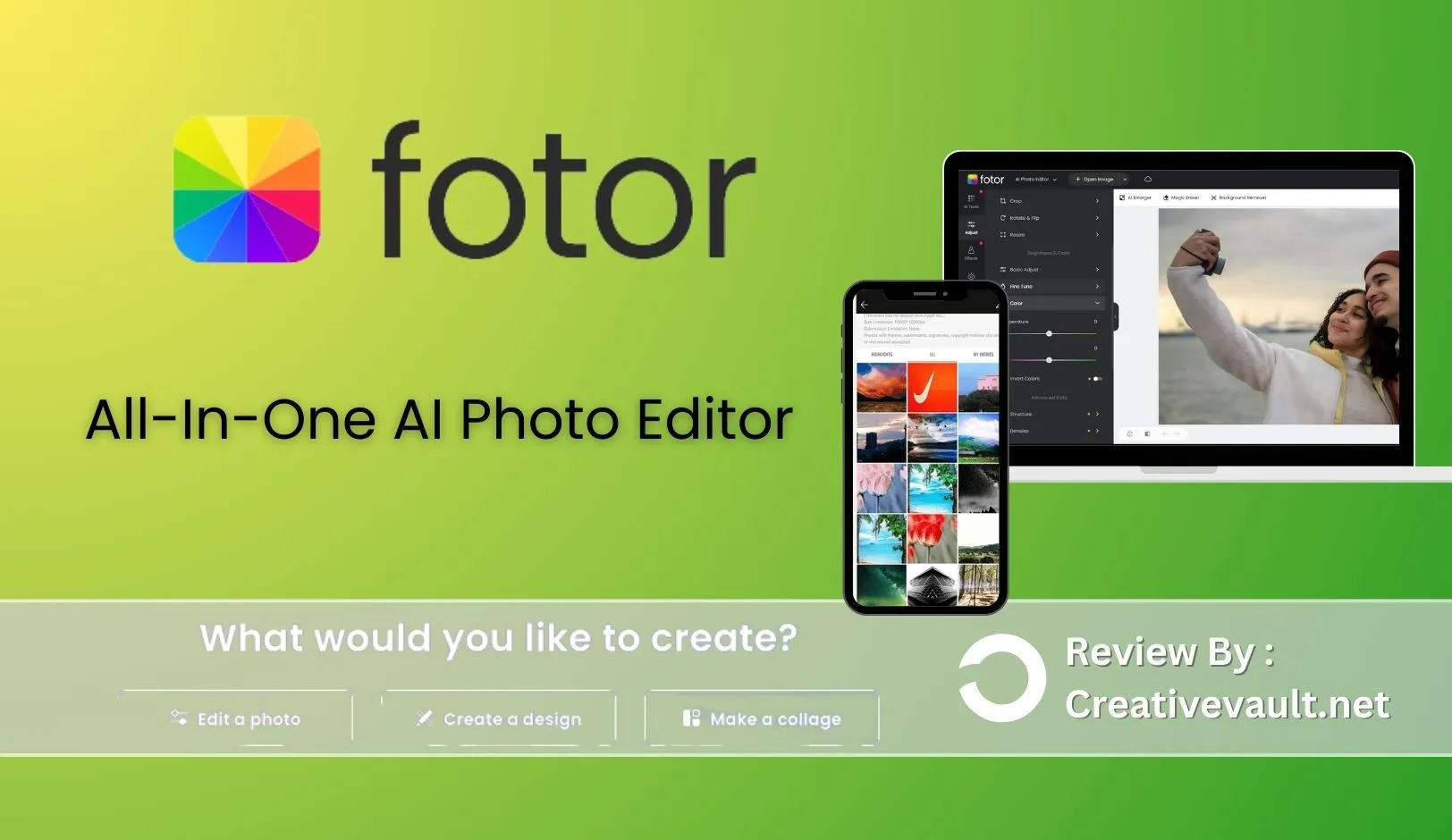
Fotor launched in January 2012 as a web-based photo editor built by Chengdu Everimaging Co., Ltd. in China. Over 13 years it has expanded from basic editing into a platform covering photo enhancement, AI image generation, graphic design and collage creation. As confirmed by Coda One’s March 2026 analysis, Fotor receives over 15 million monthly web visitors. making it one of the most-visited online photo editing platforms globally.
Its position in the market is distinct: more AI-powered than BeFunky, significantly cheaper than Canva or Adobe, but less polished for professional retouching than Photoshop or Lightroom. In 2026 the platform added dedicated AI models from Flux, GPT Image 2, Gemini AI and Nano Banana Pro, alongside consumer-facing tools like the AI Headshot Generator, AI Image Extender and AI Change Clothes.
Crop, adjust, retouch, apply filters and use AI tools. RAW file conversion, one-tap AI enhancement, background removal, object eraser, portrait retouching and image upscaler.
Template-based design for social media posts, flyers, invitations, posters and marketing materials. 100,000+ templates on Pro. Brand kit on Pro+.
Free collage tool supporting up to 9 photos per collage. Custom borders, backgrounds, text and effects. Multiple grid and freeform layout options.
Best for: bloggers, e-commerce sellers, social media managers, small business owners and photographers who need a broad AI-powered photo editing and design tool at one of the lowest subscription prices in the category.
Pricing: Free (1 AI enhancement/day, ads, watermarked exports). Pro $8.99/mo monthly or $3.33/mo annual ($39.99/yr). Pro+ $19.99/mo monthly or $7.49/mo annual ($89.99/yr). 7-day refund on annual plans.
Biggest strength: the AI tool suite is the broadest of any browser-based editor at this price point. AI Headshot Generator, AI Image Extender, AI Background Remover, AI Enhancer, AI Object Eraser and text-to-image generation across multiple 2026 AI models. all in one platform for $3.33/mo annual.
Main billing warning: as confirmed by G2’s 2026 review data, multiple users report being charged after cancellation. Cancel carefully, confirm via email and monitor your payment method after cancellation.
Bottom line: the most affordable all-in-one AI photo editing platform in 2026 for individual creators and small businesses. The billing complaint pattern requires careful subscription management. Not suitable for RAW photography workflows.
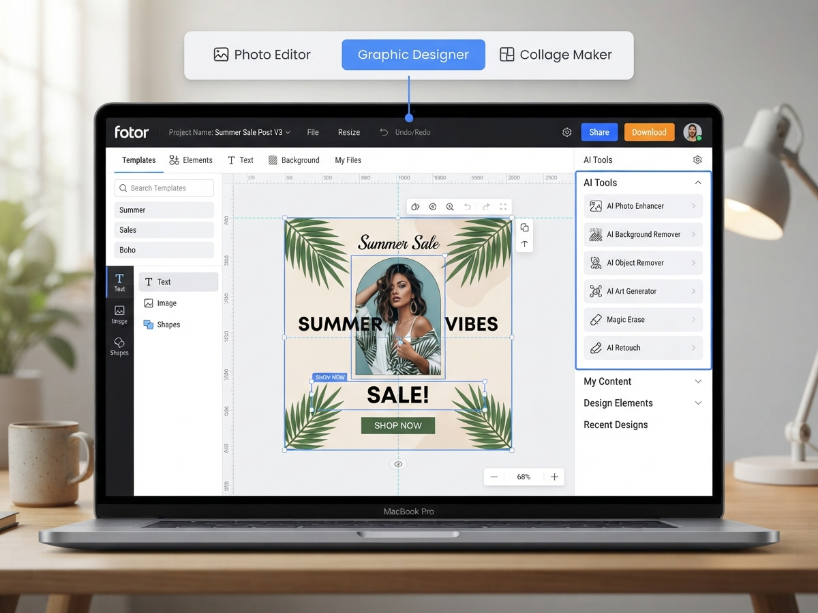
The Photo Editor: AI-First in 2026
Fotor’s photo editor covers standard adjustments. exposure, brightness, contrast, saturation, sharpness, temperature, crop, resize, rotate. Filters and color effects are available in large number. What distinguishes Fotor in 2026 is the scope of its AI tool suite.
Photo enhancement: AI Photo Enhancer (one-tap quality boost), AI Image Sharpener, HD Photo Converter, Unblur Image, Image Upscaler (4x), Photo Restoration, Colorize Photo (B&W to color), AI Age Progression.
Portrait and people: AI Headshot Generator (professional headshots from any photo), AI Portrait Generator, AI Avatar Generator, AI Face Generator, AI Hairstyle Changer, AI Change Clothes, Retouch Photo.
Editing and removal: AI Background Remover, Remove Object, Remove Person, Watermark Remover, Photo Text Remover, Image Color Replacement.
Generation (text-to-image): AI Image Generator supporting multiple 2026 AI models: Flux AI, GPT Image 2, Gemini AI, Nano Banana Pro, Nano Banana, Seedream. AI Image Extender (expand/uncrop images). AI Baby Generator, AI Character Generator, AI Tattoo Generator.
Note on credits: as confirmed by SoftwareAdvice’s 2026 review aggregation, the credit system for generative AI tools is a documented pain point. Credits run out quickly, are deducted even for unsatisfactory results, and the rules for credit consumption are not always clearly explained. Budget your credit usage carefully if you rely heavily on the generative AI tools.
RAW file support: Fotor’s editor accepts RAW files and includes a RAW converter. As confirmed in multiple user reviews, RAW tools are available but basic compared to dedicated RAW editors like Lightroom. For professional RAW workflows, Lightroom or Capture One remain the standards. For casual RAW-to-JPEG conversion with basic adjustments, Fotor covers the need.
Batch editing: one of Fotor’s clearest practical advantages. As confirmed by Flowith’s March 2026 analysis, Pro users can batch-edit up to 100 images simultaneously; Pro+ expands this to 500 images. E-commerce sellers applying consistent background removal, color correction or resizing across product photo sets are the primary beneficiaries.
The Graphic Designer
The Designer module provides template-based creation for social media posts, flyers, posters, invitations, business cards, presentations and marketing materials. As confirmed by Tekpon’s April 2026 review, the Pro plan includes access to 100,000+ premium templates, fonts and stickers.
Pro+ adds 1,000,000+ HD stock photos for personal and commercial use, 3 brand kits for consistent visual identity across multiple brands, and weekly updates to stock resources.
The Designer integrates directly with the photo editor. images edited or AI-generated in the editor can be placed into design templates without saving and re-uploading.
The Collage Maker
Fotor’s collage maker is free for all users with no account required. It supports up to 9 photos per collage across multiple grid and freeform layout options. Custom borders, backgrounds, text and stickers can be added per collage. As confirmed by Tekpon’s April 2026 review, this is a straightforward, functional tool. useful for personal or social media use but less feature-rich than BeFunky’s Collage Wizard for automated layout generation.
Pricing
Before subscribing: use a payment method with strong dispute resolution (credit card over debit). Confirm cancellation via an email receipt from Fotor. Monitor your payment method for at least 2 billing cycles after cancellation to confirm charges have stopped. The 7-day refund window on annual plans means you must act quickly if you change your mind.
| Plan | Monthly | Annual (per mo) | Annual total | Key inclusions |
|---|---|---|---|---|
| Free | $0 | $0 | $0 | 1 AI enhancement/day. Watermarked exports (non-HD). Ads. 500MB storage. Limited templates. Basic collage maker. Background removal preview only. |
| Pro | $8.99 | $3.33 | $39.99 | Ad-free. Unlimited AI Enhancer. Background Remover. Object Eraser. 100-image batch. 100,000+ templates. 200+ effects. No watermarks. HD exports. 1GB cloud storage. |
| Pro+ | $19.99 | $7.49 | $89.99 | Everything in Pro plus 1M+ HD stock photos (personal and commercial), 500-image batch, 3 brand kits, 10GB storage, 500 AI generations/month, priority processing. |
Value summary: as confirmed by Flowith’s March 2026 analysis, Pro at $3.33/mo annual is described as “one of the best values in photo editing software”. unlocking unlimited AI enhancement, batch editing and full template access at a fraction of Adobe pricing. The annual discount is substantial: Pro drops 63% from $8.99 to $3.33/mo. The 7-day refund window on annual plans applies only if you have not meaningfully used the service.
How Fotor Scores
| Category | Score | Notes |
|---|---|---|
| Ease of use | Excellent | Browser-based, no install. Clean interface widely praised in reviews. Low learning curve for beginners. All three modules clearly separated. |
| AI tool breadth | Best in class | No browser-based editor at this price offers as many distinct AI tools. Headshot generator, image extender, age progression, clothes changer, multi-model text-to-image. all in one subscription. |
| Pricing value | Excellent | $3.33/mo annual for Pro is among the lowest prices for a full-featured AI photo editing platform. Pro+ at $7.49/mo annual includes 1M+ commercial stock photos. |
| Batch editing | Strong | 100-image batch on Pro, 500 on Pro+. One of the few browser-based editors with meaningful batch processing for e-commerce or catalog workflows. |
| Photo editing depth | Moderate | Good for casual to intermediate editing. RAW conversion available but basic. No frequency separation, no advanced masking. Not a Photoshop/Lightroom replacement. |
| AI generative quality | Mixed | Multiple model access (Flux, GPT Image 2, Gemini AI) is impressive for the price. As confirmed by SoftwareAdvice’s 2026 aggregation, AI prompt accuracy can be inconsistent. Credits run out fast and are non-refundable on bad outputs. |
| Subscription management | Concerning | G2’s 2026 data documents multiple cases of continued charging after cancellation. Requires proactive confirmation and payment monitoring post-cancel. |
| Team / collaboration | Limited | No team plan. Brand kits on Pro+ (3 brands) are a partial workaround but no multi-user workspace or shared editing. |
Who Is Fotor For?
- An e-commerce seller who needs batch background removal for product photos
- A social media manager creating graphic content alongside edited photos
- A blogger or content creator who edits portrait photos and needs AI headshots
- A small business owner who wants 1M+ commercial stock photos included (Pro+)
- Anyone who wants the broadest AI tool range at the lowest subscription price
- A casual RAW shooter who needs basic RAW-to-JPEG conversion with adjustments
- A professional photographer who needs advanced RAW processing, masking or color grading
- A design team that needs multi-user collaboration and shared workspaces
- Someone who had billing issues with subscription apps before. the cancellation warning is genuine
- A user whose primary need is artistic photo transformation (BeFunky’s Artsy effects are better)
- A mobile-first creator. Fotor’s mobile app is secondary to the web experience
- Someone building a brand kit with a team (no multi-seat plan exists)
Fotor vs the Alternatives
| Fotor | BeFunky | Canva | Pixlr | |
|---|---|---|---|---|
| Entry paid (annual) | $3.33/mo | $6.99/mo | ~$13/mo | $1.99/mo |
| AI tool breadth | Widest (20+ tools) | Good (focused) | Good (Magic) | Good (Gen Fill) |
| Artsy/artistic effects | Good filters | Best-in-class | Basic filters | Good filters |
| Batch editing | 100/500 images | Unlimited (Plus) | Limited | Limited |
| Text-to-image AI | Yes (multi-model) | No | Yes | Yes |
| Billing complaints | Documented (G2) | Low | Low | Moderate (Trustpilot) |
| Best for | AI breadth, price, batch | Artsy effects, collage | Templates, teams | Browser photo editing |
For full comparisons see our BeFunky review, Canva review and Pixlr review.
Frequently Asked Questions
Is Fotor free? Yes. Fotor has a free plan with basic photo editing tools, a free collage maker and limited template access. The free plan restricts AI enhancements to one per day, adds watermarks to non-HD exports and shows ads. The free plan is functional for light occasional use but not for regular professional or business workflows. Pro at $3.33/mo annual removes all these limitations.
How much does Fotor cost? Pro is $8.99/mo monthly or $3.33/mo billed annually ($39.99/yr). Pro+ is $19.99/mo monthly or $7.49/mo billed annually ($89.99/yr). Fotor offers a 7-day refund on annual plans. Verify current pricing at fotor.com/pricing as plans are updated periodically.
Is Fotor safe to subscribe to? Fotor is a legitimate platform used by millions of users globally. As confirmed by G2’s 2026 review data, there is a documented pattern of users being charged after cancellation, sometimes for extended periods. Fotor is operated by Chengdu Everimaging Co., Ltd. (China). To protect yourself: use a credit card with strong dispute options, confirm cancellation via an email receipt and monitor your payment method for 2+ cycles after cancelling.
What is the AI Headshot Generator? The AI Headshot Generator is a 2026 Fotor feature that produces professional-looking headshots from any photo. Upload a casual photo of yourself, select a style (business, creative, casual) and Fotor generates a polished headshot suitable for LinkedIn, corporate profiles and professional marketing materials. This feature uses AI credits.
Does Fotor support RAW files? Yes, partially. Fotor includes a RAW file converter that accepts camera RAW formats and allows basic adjustments before converting to JPEG or PNG. As confirmed by multiple 2026 reviews, RAW handling is functional for casual use but not comparable to professional RAW editors like Lightroom or Capture One for advanced color grading and professional photography workflows.
What is the difference between Fotor Pro and Pro+? As confirmed by Flowith’s March 2026 analysis, Pro ($3.33/mo annual) unlocks unlimited AI enhancement, batch editing (100 images), 100,000+ templates, background removal, object eraser and ad-free use. Pro+ ($7.49/mo annual) adds 1,000,000+ HD stock photos for personal and commercial use, 500-image batch processing, 3 brand kits, 10GB storage, 500 AI generations per month and priority AI processing speed. Pro covers most individual user needs; Pro+ is for high-volume operations and multi-brand businesses.
Does Fotor have a team plan? No. Fotor does not have a multi-user team plan. The Pro+ plan includes 3 brand kits which can help multi-brand management, but there is no shared workspace, multi-seat billing or team collaboration. Each user requires a separate subscription. For team design workflows, Canva or PicsArt Pro are better alternatives.
Fotor Alternatives Worth Considering
Reviewed by our team. Read the full review or head straight to the platform.
BeFunky
Best-in-class Artsy effects (oil painting, watercolor, sketch), collage maker and photo editor from $6.99/mo annual. Better if artistic photo transformation is your main need.
Canva
Largest template library, stronger team collaboration and brand kit management. Better if design templates and team workflows matter more than AI photo tool breadth.
Pixlr
Browser-based photo editor with generative fill, layers and Photoshop-comparable workflow from $1.99/mo annual. Better for serious photo editing with AI generation built in.
PicsArt
Mobile-first editor with AI tools, face swap, 150M+ creator community and commercial license on Pro (~$12/mo annual). Better for mobile-first creators and small teams.
Free plan available. Pro from $3.33/mo annual ($39.99/yr). 20+ AI tools, batch editing, 100,000+ templates. Cancel carefully and confirm via email.
Visit Fotor →
Related: BeFunky Review | Canva Review | Pixlr Review | PicsArt Review | PicMonkey Review
Sources used in this article: Fotor Official Pricing Page (fotor.com/pricing) Flowith: Fotor Pricing 2026 Free vs Pro vs Pro+, March 2026 (flowith.io) G2: Fotor Photo Editor Pricing 2026 (g2.com) Tekpon: Fotor Reviews 2026 (tekpon.com) Coda One: Fotor 2026 Benefits, Features and Pricing (codaone.ai) SoftwareAdvice: Fotor 2026 Reviews Aggregation (softwareadvice.com)